
Managing your shares
The Shares area lists every share you have created, so you can find a link again, copy it, or remove it. Open it from the Shares link in the top navigation. This link appears only when your account is allowed to share, which is governed by your server license.
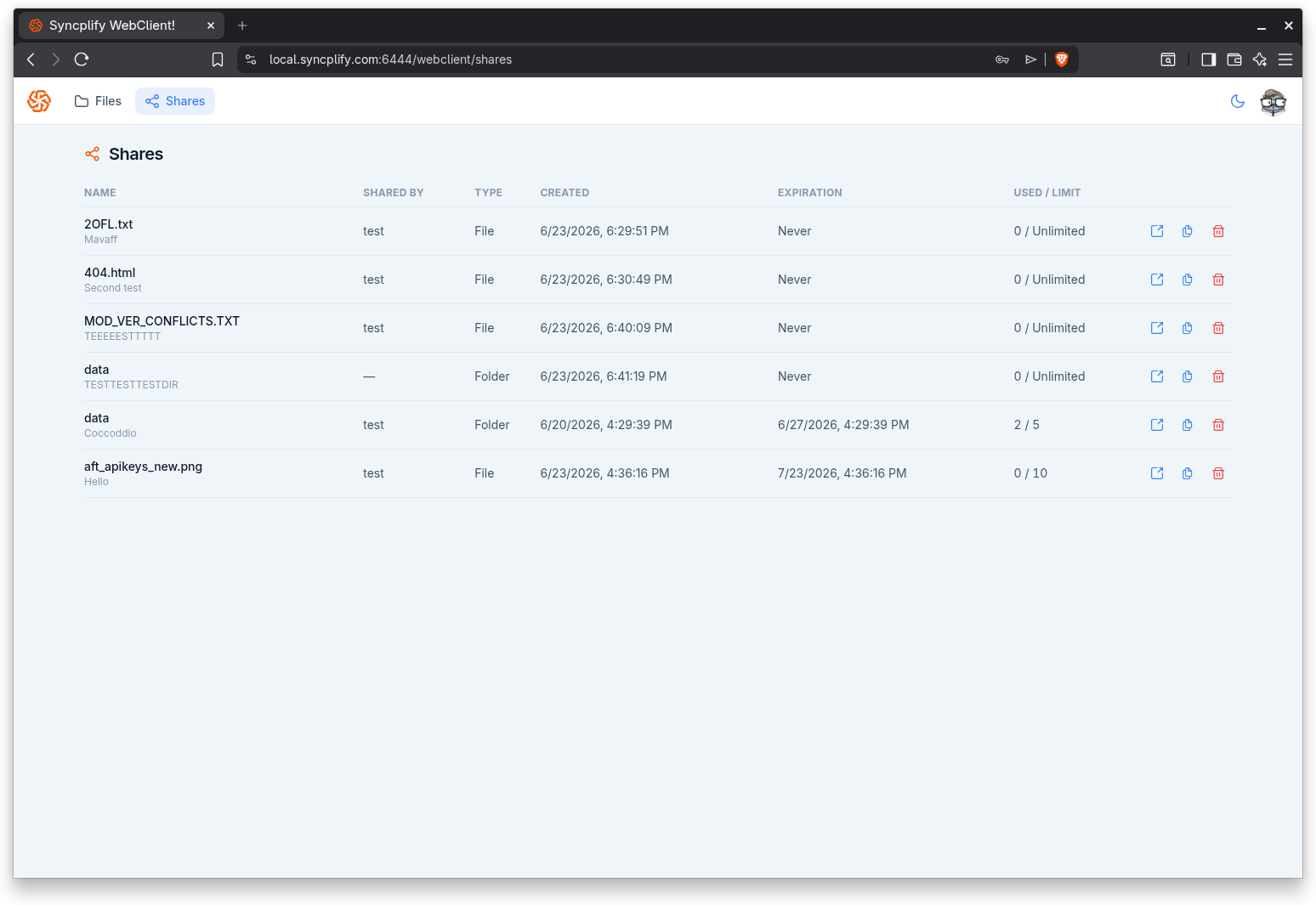
The shares list
Each row in the list shows:
- Name: the name of the shared file or folder, with its description underneath when one was provided.
- Shared by: your name, shown only when the share was set to reveal who shared it; otherwise a dash.
- Type: whether the share is a Folder or a File.
- Created: when the share was created.
- Expiration: the expiration date, or Never when the share does not expire.
- Used / limit: how many times the link has been used out of its access limit, where the limit reads Unlimited when no limit was set.
If you have not shared anything yet, the page tells you so.
Actions on a share
At the end of each row are three actions:
- Open link: opens the share in a new browser tab, the same way a recipient would see it.
- Copy link: copies the shareable link to your clipboard so you can send it again.
- Delete: removes the share. The WebClient asks you to confirm, because once a share is deleted its link stops working for everyone.