
Shield
The management console has a Shield of its own. It protects the SuperAdmin and Admin sign in pages, and every other route of the console, against brute force and scanning, with the same engine and the same rules the virtual sites use. The Shield, safe list, allow list page explains how the engine decides; this page covers the console's Shield in the SuperAdmin UI.
A source the console has banned receives a bare 404 for every path, the sign in pages included. The nodes of a high availability cluster are never banned by the console's Shield: the cluster roster is exempt automatically.
The Shield page
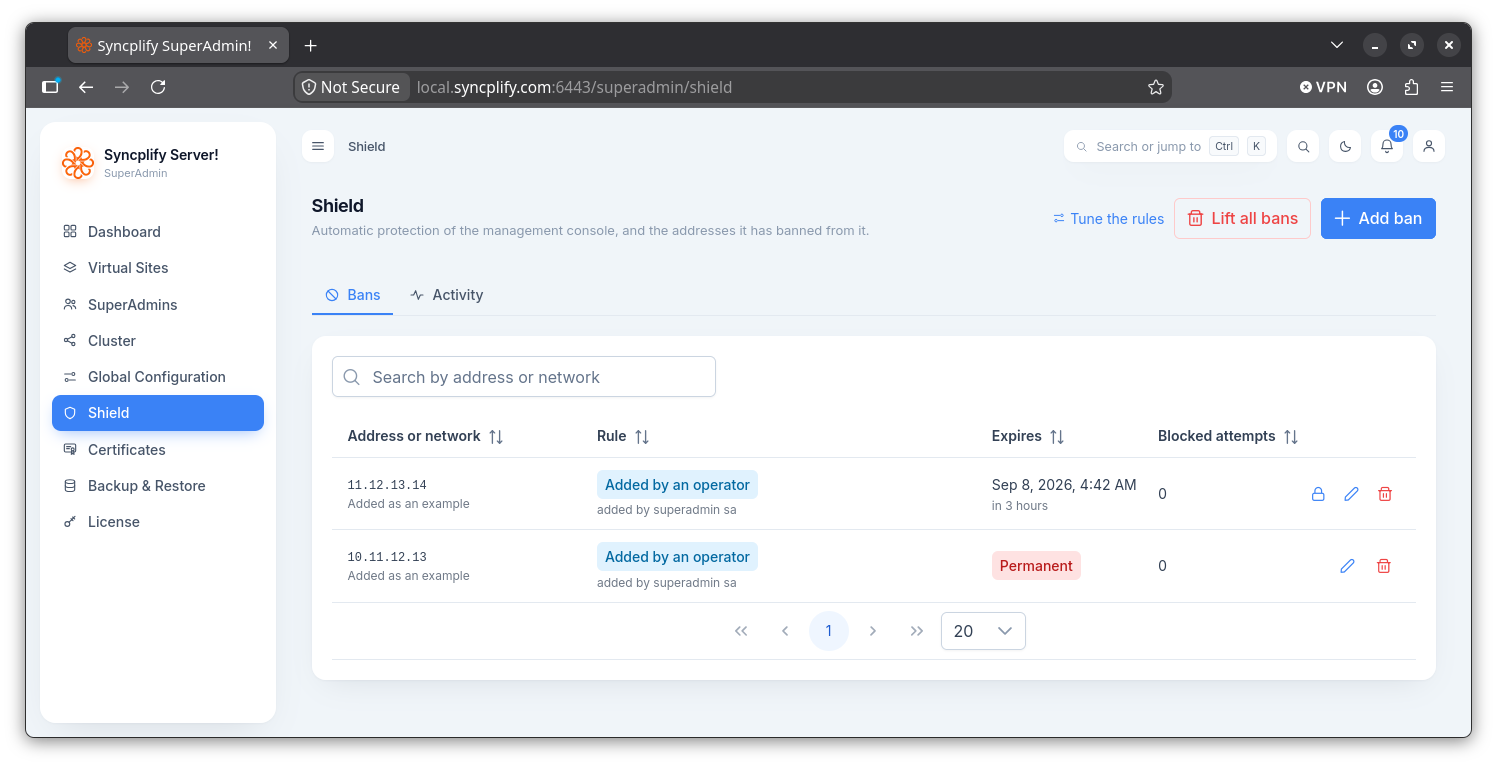
The Shield entry in the navigation rail opens a page with two tabs, Bans and Activity. They are the same screens the Admin UI shows for a virtual site (see the Admin UI Shield page), bound here to the console's own bans: every ban is listed with its rule, detail, expiry and blocked attempts; a ban can be added by hand, made permanent, annotated and lifted; and the Activity tab shows the engine's live counters, the addresses with strikes, and the console's listener, on every node of the cluster.
The Tune the rules link in the page head opens the Shield section of the Global Configuration.
Rules and safe list
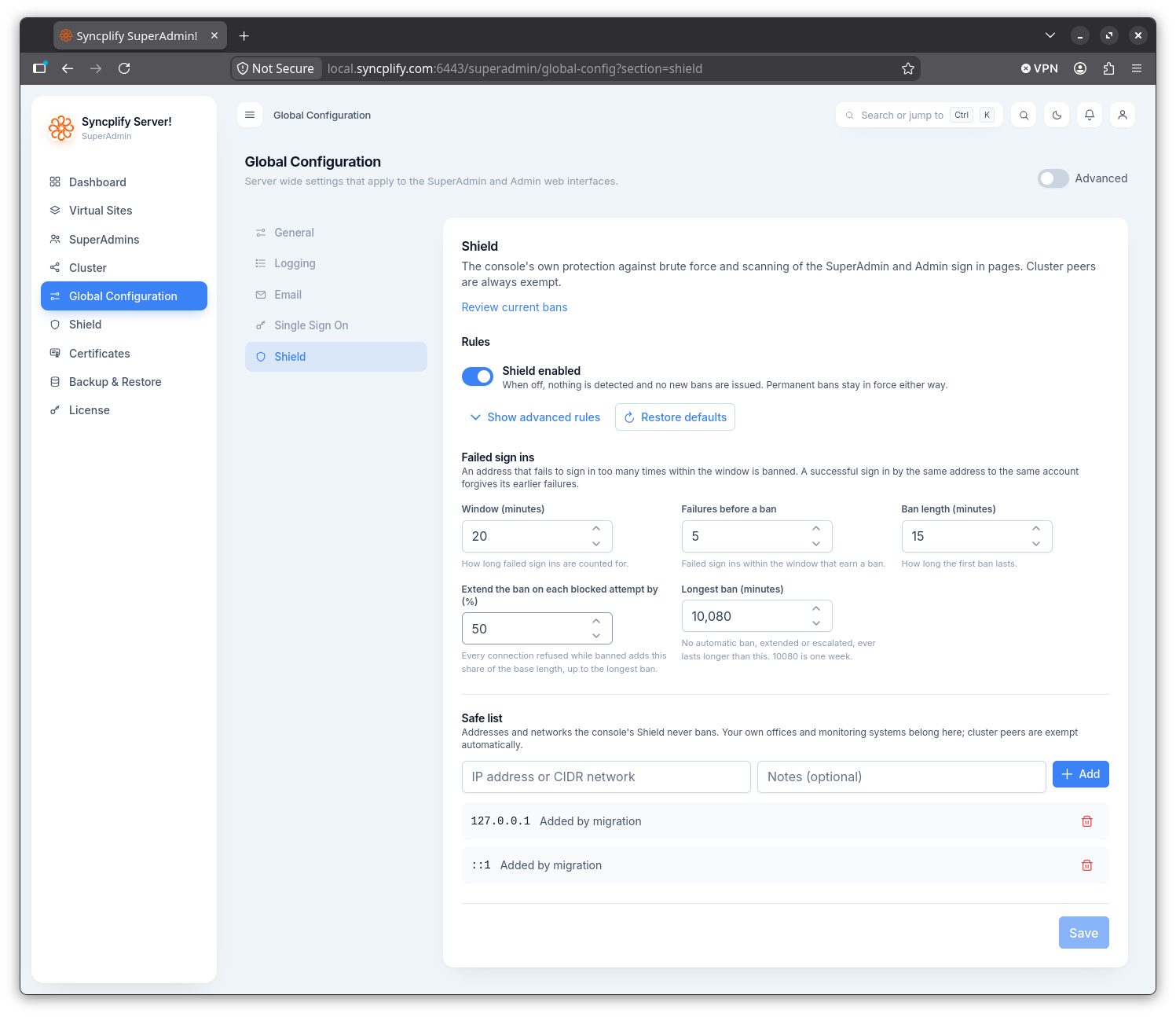
The console's rules and safe list live in the Global Configuration, in the Shield section. The rules form is the one described for the Admin UI. The safe list names the addresses and networks the Shield never bans: your own offices and monitoring systems belong there. Cluster nodes don't need to be listed, they're automatically always considered safe.
Changes apply at once on the node that saves them, and on every other node as soon as the configuration replicates.