
Shared objects
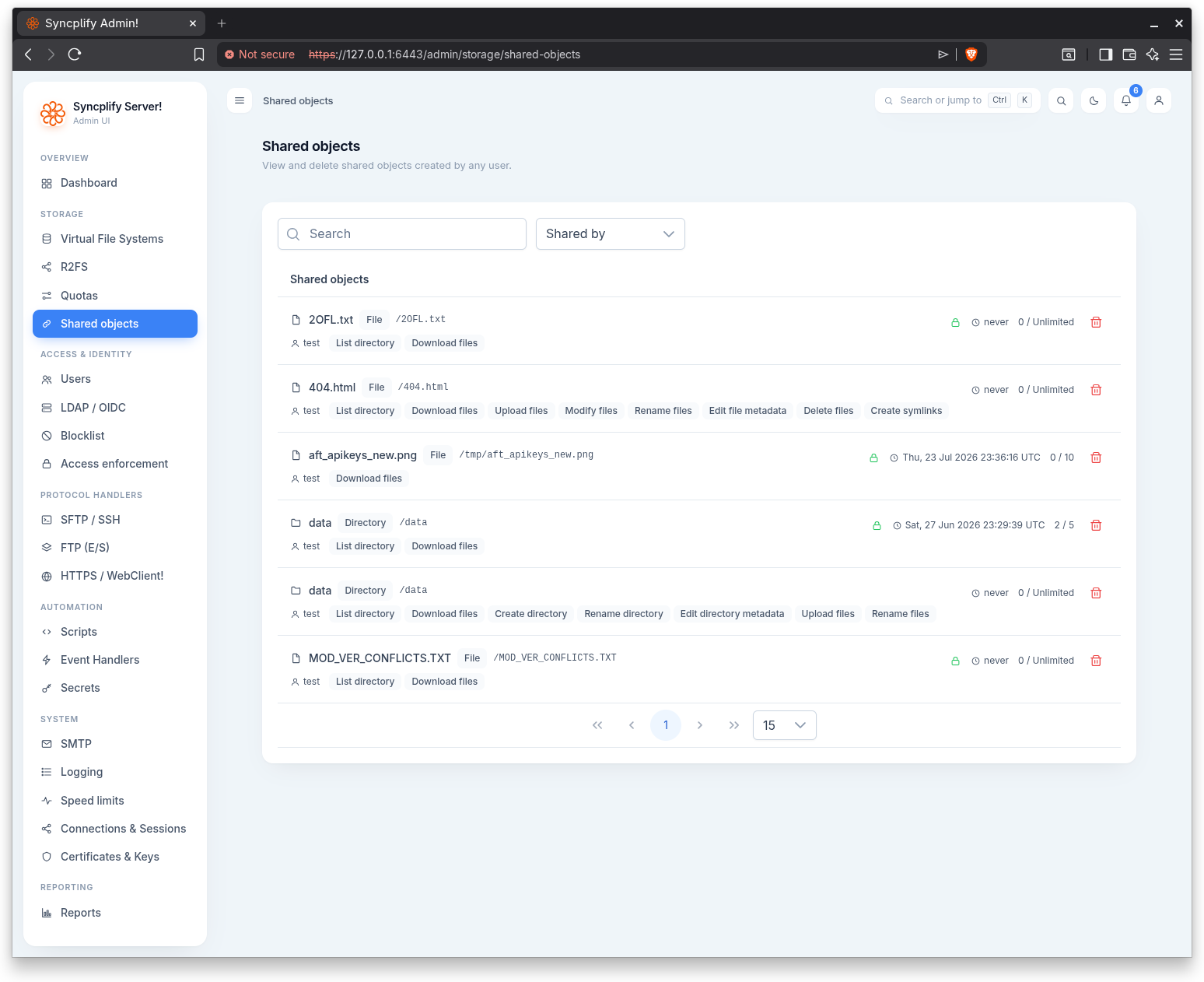
The Shared objects page gives administrators oversight of every WebClient share on the virtual site. From here you can view and delete shared objects created by any user, regardless of who created them.
License gating
This page is gated by the WebClient sharing license. When the license does not cover it, the page shows a locked state with the edition required instead of the list, consistent with the Reporting page. The matching Shared objects report in Reporting (under the Security and compliance category) lists every shared object grouped by the user who created it.
The shared objects list
When the feature is licensed, the page lists all shared objects. A search box filters by the user who shared the object, the object name, and its path. A Sort by selector chooses the ordering. The list is paginated.
Each entry presents the following facts:
- Shared by: the user who created the share.
- Name: the name of the shared object.
- Type: whether the object is a Directory or a File.
- Path: the path to the shared object, in monospace.
- Permissions: the permissions granted to people who open the share, shown as compact chips.
- Password: a lock icon marks shares that are Password protected.
- Expiration: the expiration of the share, or an Expired tag when it has lapsed.
- Used / limit: how many access tokens have been used against the limit. When there is no limit, the limit reads Unlimited.
Sorting
The Sort by selector orders the list by Shared by, Name, or Type. Within the chosen key the order is stable, falling back to name and identifier so the list does not reshuffle between refreshes.
Deleting a share
When you have permission to manage storage, each entry offers a delete action. Deleting a share stops its link working immediately. A confirmation dialog asks "Delete the share {name} created by {user}? Its link will stop working immediately." before the share is removed.