
Choosing the node ID
The second step of the wizard assigns this server a node identity. The heading reads "Create a Node ID", and the introduction invites you to choose an ID for this node, or to have the software generate one for you. This step is common to both the standalone and HA paths.
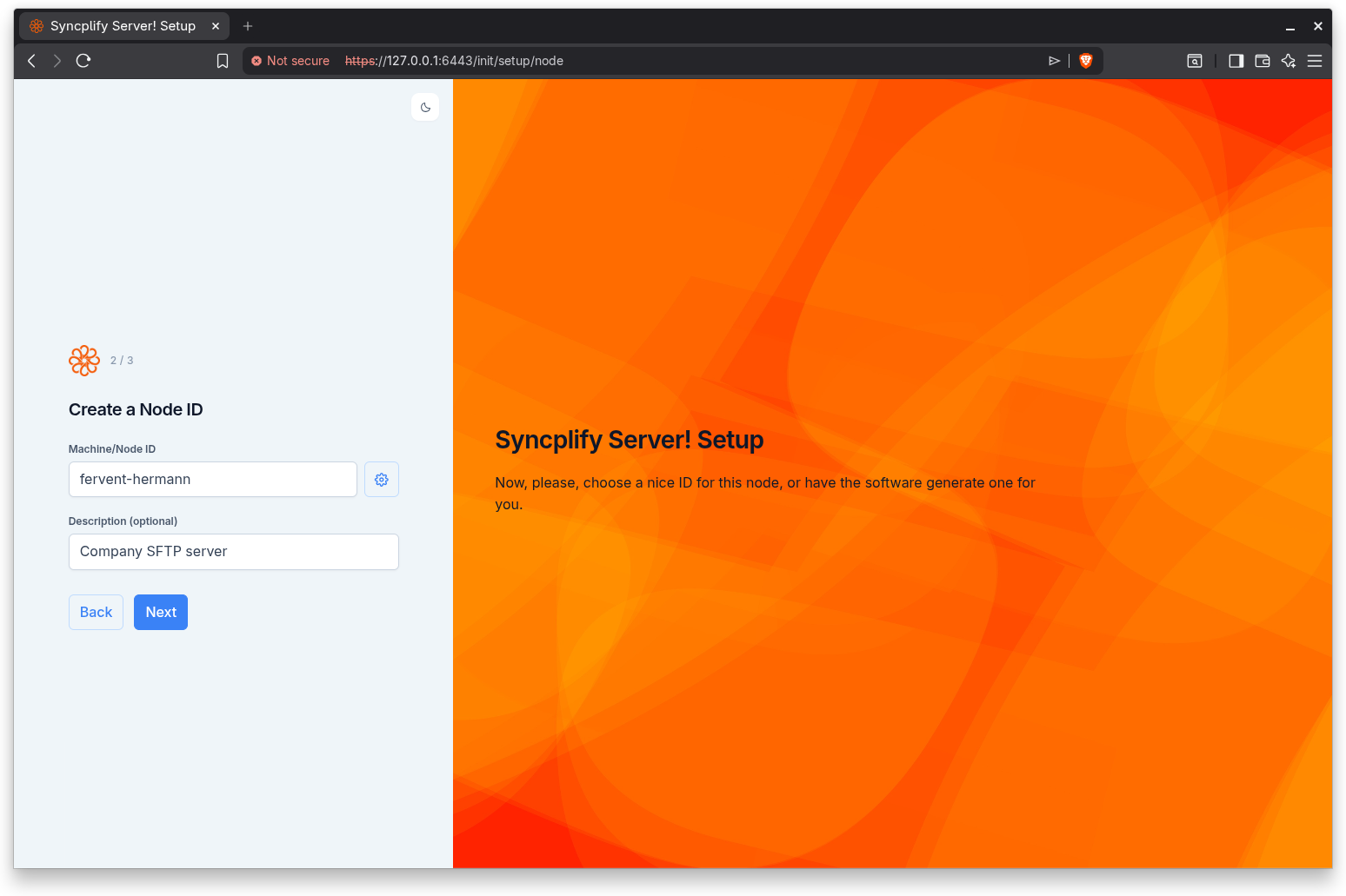
Machine/Node ID
The Machine/Node ID field holds the identifier for this node. The ID must contain only lowercase letters, digits, underscores, and hyphens. If you leave it blank or use any other character, the wizard reports an error and does not let you continue:
- "A node ID is required" appears when the field is empty.
- "Node ID contain invalid characters" appears when the value includes characters outside the allowed set.
Choose a short, meaningful ID that will help you recognize this node later, especially if you plan to run more than one node in a cluster.
Auto-generate
Next to the field is an Auto-generate button (the gear icon). Click it to have the server propose a valid node ID for you. This is convenient when you do not have a naming scheme in mind, or when you simply want a guaranteed valid value. You can edit the generated value before continuing.
Description (optional)
The Description (optional) field lets you record a free-form note about this node, for example its physical location or its role. This field is optional and has no character restrictions. It is purely informational.
Step indicator
This step shows Step 2 of 4 on the standalone path and Step 2 of 3 on the HA path, reflecting the choice you made on the previous screen.
Continuing
Click Back to return to the setup type step, or Next to save the node ID and continue. After this step the two paths diverge:
- On the standalone path, the wizard proceeds to creating the first SuperAdmin account.
- On the HA path, the wizard proceeds to joining a high-availability cluster, starting with the remote node address.