
Shield
The Shield is the virtual site's automatic protection against brute force, scanning and abuse. It watches every listener of the site, counts what each address does before and during sign in, bans the addresses that cross a rule, and refuses banned addresses the moment they connect, before any handshake takes place. How it decides is explained in Shield, safe list, allow list; this page covers the Shield section of the Admin UI.
The section requires the Shield permission. Administrators who can view it see everything below; only those who can manage it can add, edit and lift bans, change the rules or edit the safe list.
The page is organized into four tabs:
- Bans
- Activity
- Rules
- Safe list
You can move between the tabs with the mouse, or with the keyboard arrow keys when the tab strip has focus (Home and End jump to the first and last tab). The address bar follows the selected tab, so a link to a tab can be shared.
When detection is switched off for the site, a notice at the top of the page says so: nothing is detected and no new bans are issued, but the permanent bans in the list stay in force.
Bans
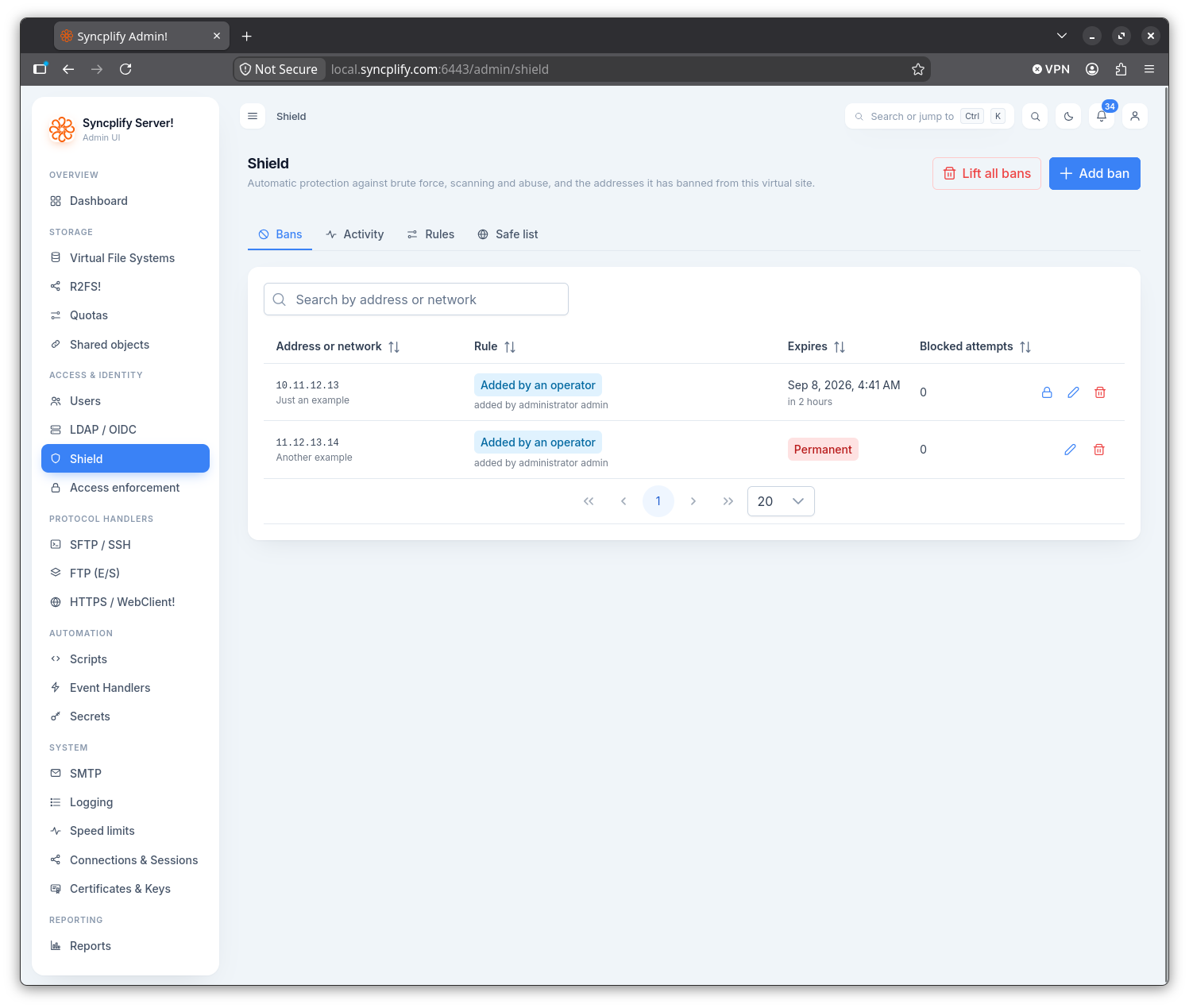
This tab lists every ban, automatic and manual, paged on the server with a page size of 20, 50 or 100 rows. A search box above the table filters by address or network. The columns can be sorted by clicking their headers.
The table shows the following columns:
- Address or network. A network ban carries a Network chip.
- Rule: which rule issued the ban, with the protocol in parentheses when the engine recorded one. The rules are Failed sign ins, Slow and patient, Username guessing, Connect and drop, Network wide, Protocol probe, Added by an operator and Added by a script.
- Detail: what the rule observed, in plain words.
- Expires: the date and time the ban lifts, Permanent for a ban that never does, or Expired for a ban the engine has not yet swept away.
- Blocked attempts: how many connections the banned address made while banned. Each one extends a temporary ban, as configured in the rules.
- Last attempt: when the address last knocked.
- Notes: free text written by an operator.
Adding a ban
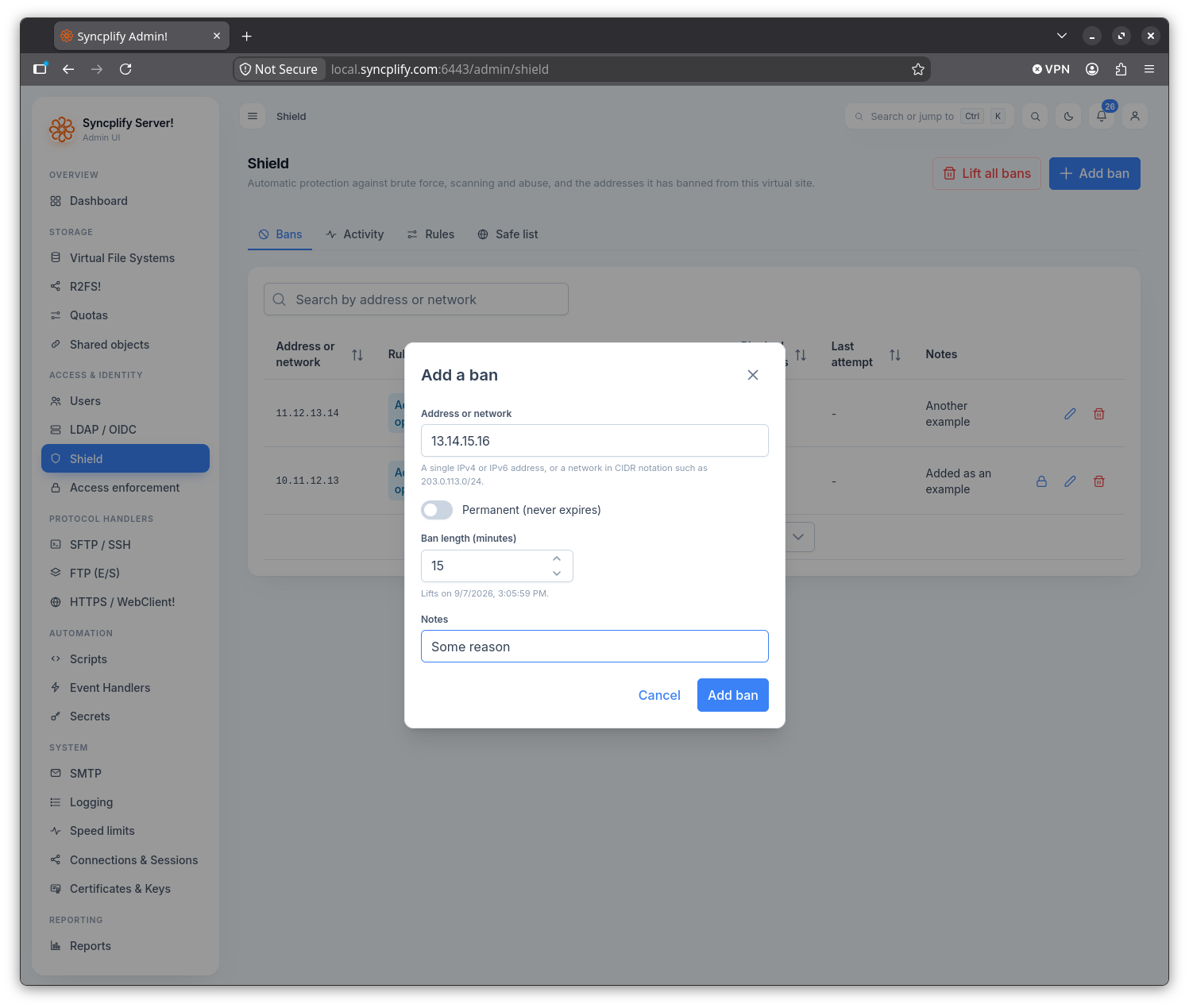
Use the Add ban button above the table to open the dialog. It has the following fields:
- Address or network: a single IPv4 or IPv6 address, or a network in CIDR notation such as
203.0.113.0/24. The value is validated before saving. - Permanent: a permanent ban never expires and is never extended.
- Ban length (minutes): shown for temporary bans, prefilled with the ban length of the rules. A hint below the field shows when the ban will lift.
- Notes: free text.
An address on the safe list cannot be banned by hand: the dialog refuses it. Adding a ban for a target that already has a ban in force is refused as well, and the existing ban is left as it is.
Editing a ban
Each row offers three actions:
- Make permanent, for temporary bans: asks for confirmation, then removes the expiration for good.
- Edit notes: opens a small dialog to change the notes.
- Lift ban: asks for confirmation, naming the address, then admits the address again at once.
The target and the rule of a ban are immutable. To ban a different address, add a new ban.
Lifting every ban
The Lift all bans button above the table lifts every temporary ban after a confirmation. Permanent bans stay in force; lift them one by one.
Activity
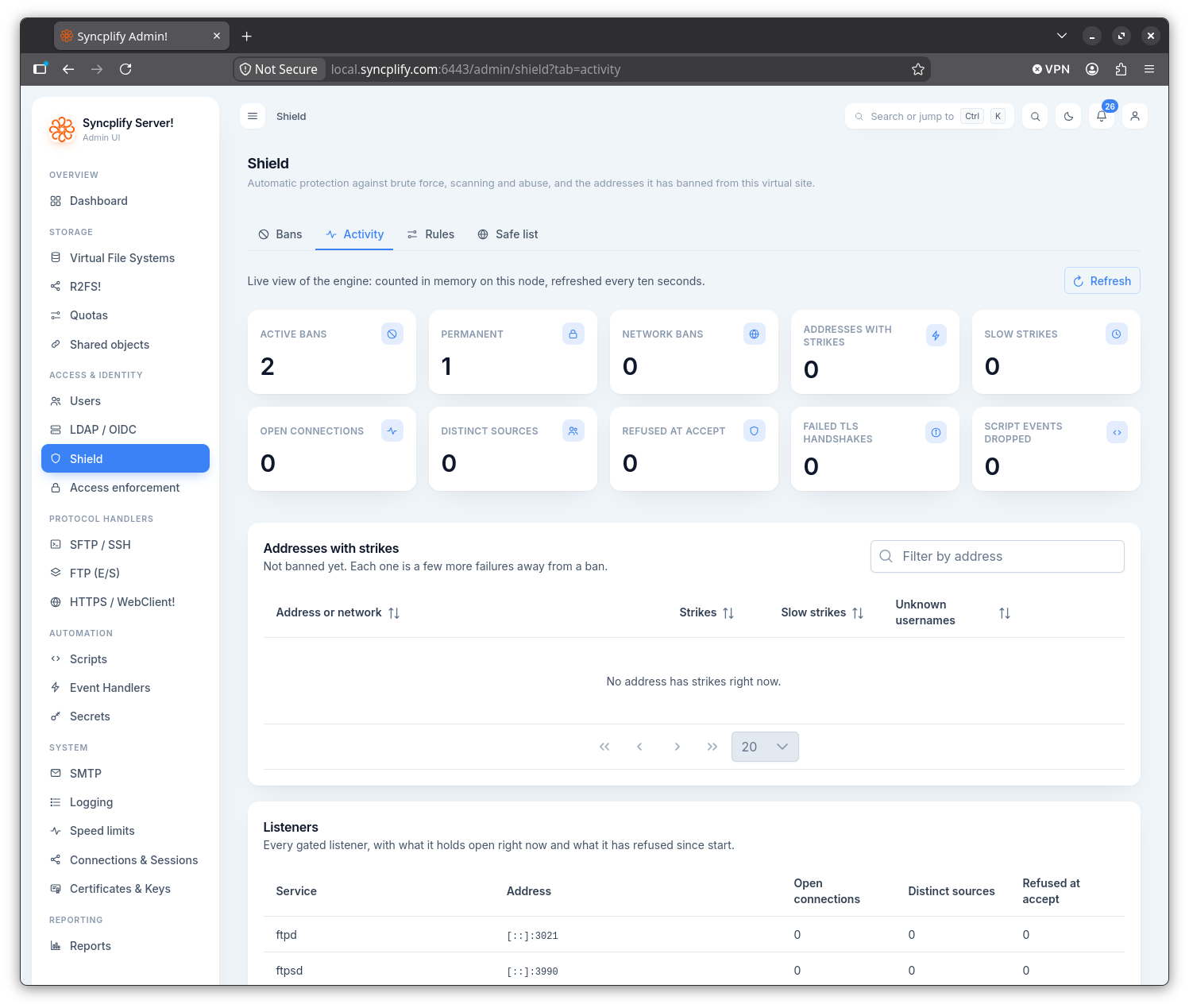
This tab is a live view of the engine, refreshed every ten seconds while the page is visible. It opens with a row of tiles:
- Active bans, Permanent and Network bans.
- Addresses with strikes and Slow strikes: addresses the engine is counting against but has not banned yet.
- Open connections and Distinct sources: what the listeners hold open right now.
- Refused at accept: connections the listeners turned away since the worker started, banned addresses and connection caps alike.
- Failed TLS handshakes on the web listener.
- Script events dropped: Shield events that could not be handed to an event handler because the queue was full. The engine never waits for a script; a value above zero, shown in red, means handlers were skipped under load.
Below the tiles, the Addresses with strikes table lists every address with a count in the fast window, the wide window and the username guessing rule. An address here is a few failures away from a ban. The Ban now action bans it immediately for the ban length of the rules. On a high availability cluster the table carries a Node column: strikes are counted in memory on each node and are never replicated, while bans are shared by every node.
The Listeners table at the bottom shows every gated listener of the site, with the service, the address, the connections and distinct sources it holds open right now, and the connections it has refused since start.
Rules
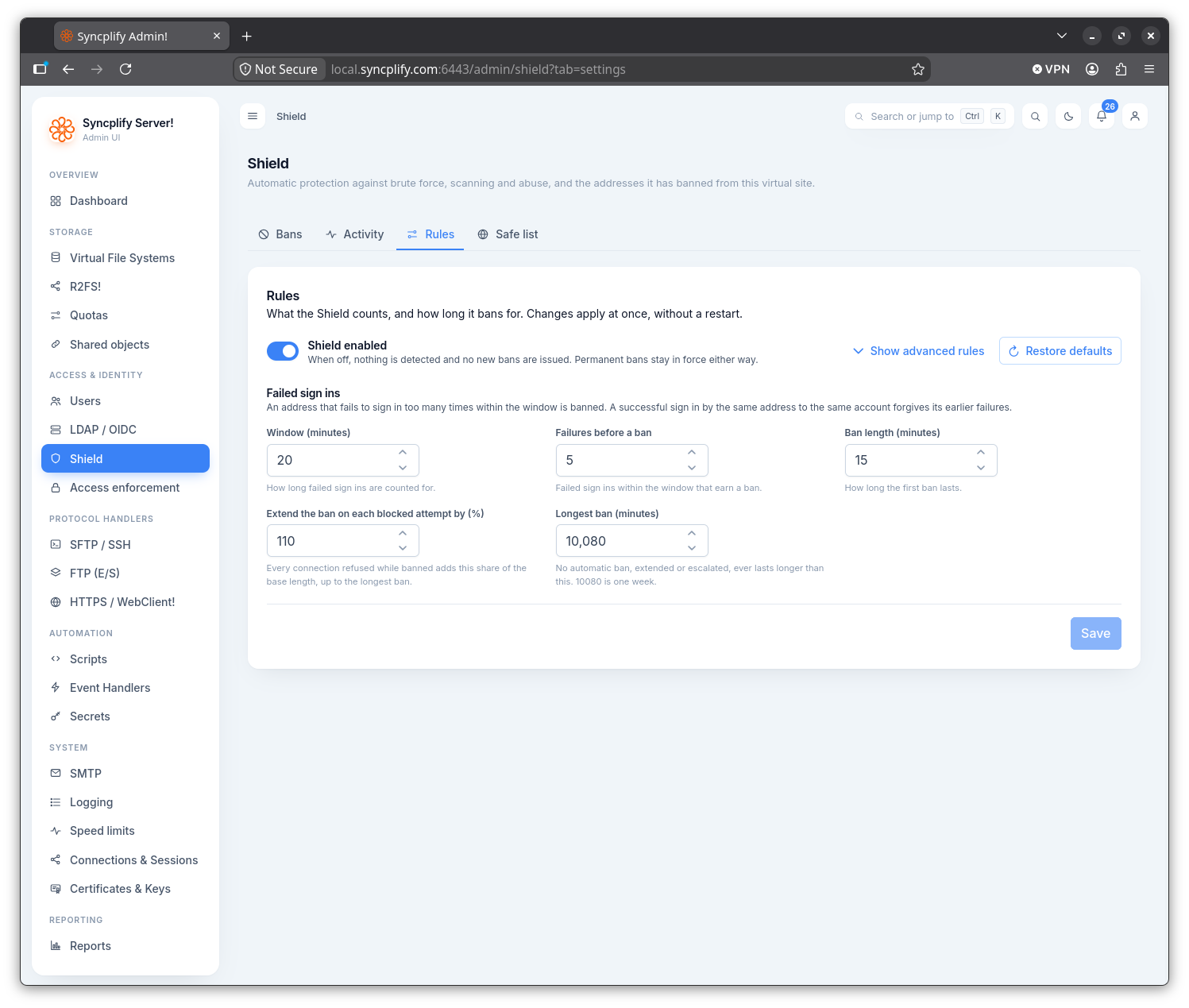
This tab holds the rules the engine runs under. Changes apply the moment they are saved, without a restart, and take effect on every node of a cluster.
The top of the form has the Shield enabled switch, a Show advanced rules button and a Restore defaults button. Restore defaults writes the shipped value into every field of the form and announces it; nothing is saved until you use the Save button.
The simple set, always visible, is the Failed sign ins rule:
- Window (minutes): how long failed sign ins are counted for.
- Failures before a ban.
- Ban length (minutes): how long the first ban lasts.
- Extend the ban on each blocked attempt by (%): every connection refused while banned adds this share of the base length.
- Longest ban (minutes): no automatic ban ever lasts longer, however it was extended or escalated.
Show advanced rules reveals the other groups, each with a short explanation and a hint per field: Slow and patient, Returning offenders, Username guessing, Connect and drop, Network wide, Time to sign in and Connection caps. The Shield, safe list, allow list page explains each rule and lists the shipped defaults.
The form checks a few invariants before you save and explains any it finds broken: the wide window must be longer than the fast one, the slow threshold higher than the fast one, the username guessing count between two and the failed sign in threshold, the longest ban at least the ban length, and the grace period between 10 and 900 seconds. The server keeps the same invariants, so a value that breaks one would otherwise be corrected silently on save.
Safe list
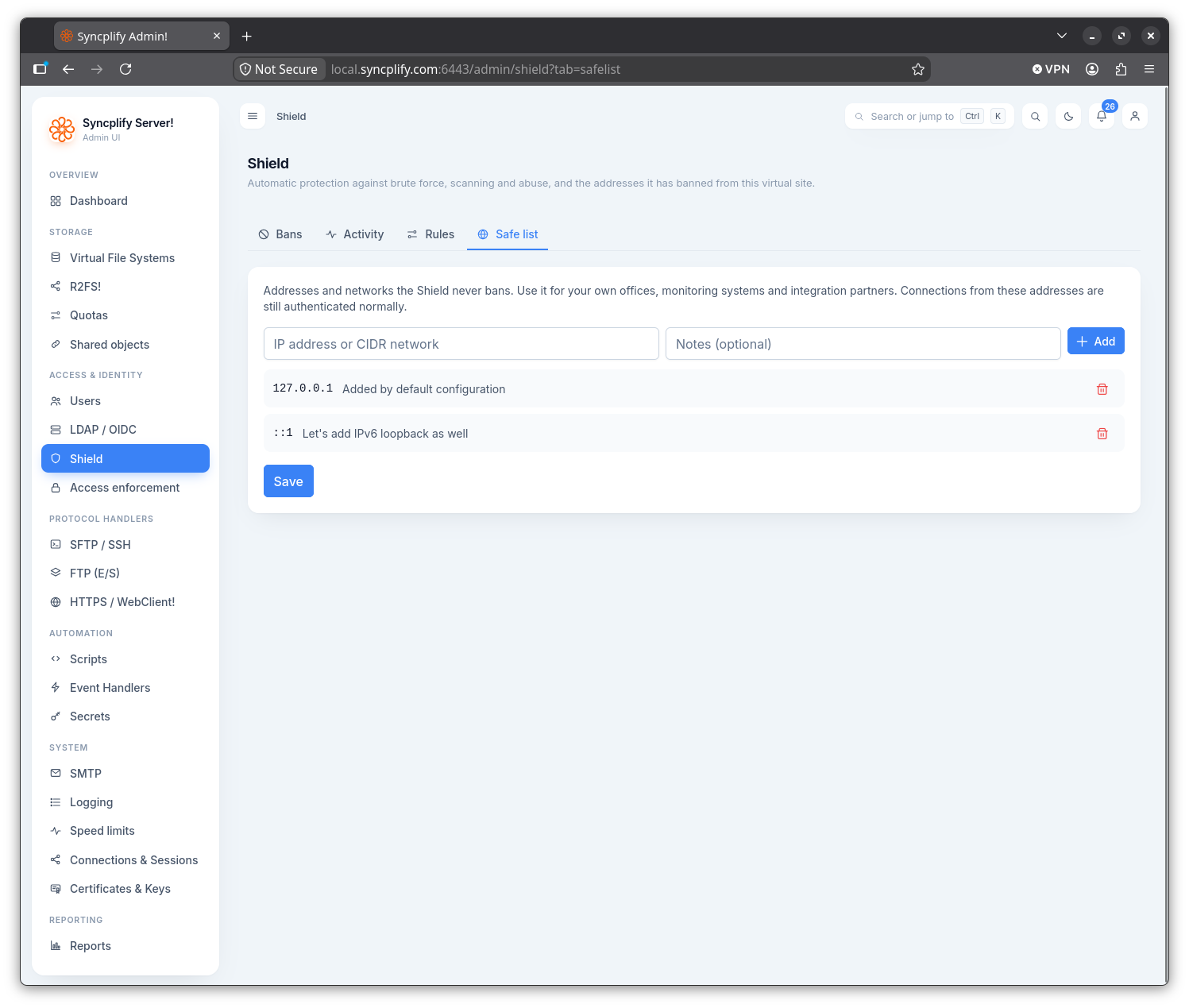
The safe list names the addresses and networks the Shield never bans. Use it for your own offices, monitoring systems and integration partners. Connections from these addresses are still authenticated normally, and are still subject to the allow list.
To add an entry, type an IP address or CIDR network, optionally add a note, and use the Add button (or press Enter). The value is validated, and duplicates are rejected. Each entry can be removed individually. Use Save to persist the list. Adding an address that is banned at that moment lifts its temporary ban; a permanent ban or a network ban that covers it must be lifted on the Bans tab.