
Logging
The Logging page controls where the virtual site writes its operational log and how much detail that log contains. The available fields change depending on the chosen destination.
Common settings
Two settings always appear at the top of the card, regardless of destination.
Destination
Where the operational log is written. Three destinations are available:
- Standard output: the log is written to the process standard output stream.
- File: the log is written to rotating files in a directory you choose.
- Syslog: the log is forwarded to a syslog collector over the network.
Detail level
How verbose the log is. Selecting a level controls which severities are recorded.
Standard output
When the destination is Standard output, a single option is shown.
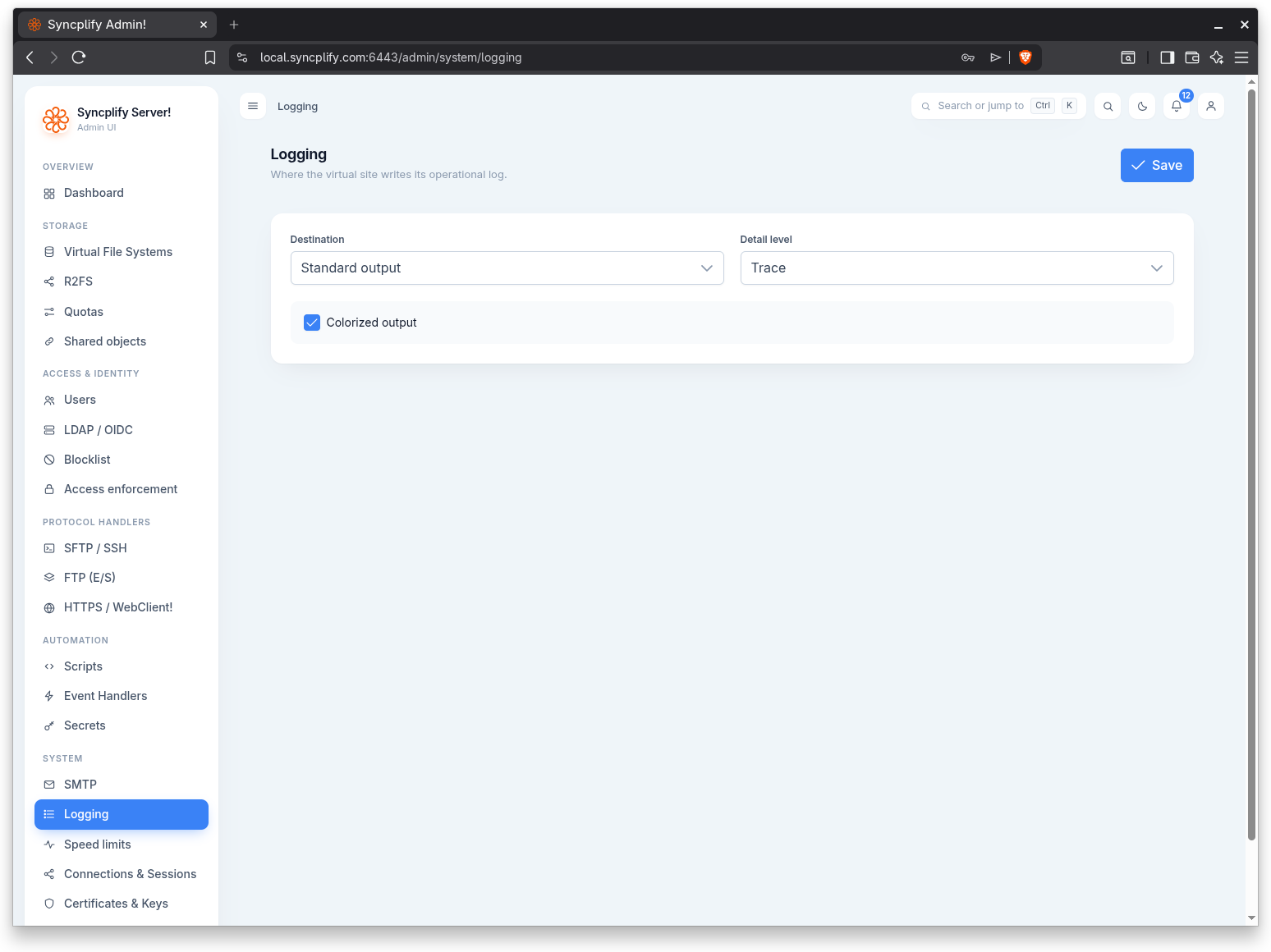
Colorized output
When enabled, log lines written to standard output are colorized by severity for easier reading in a terminal.
File
When the destination is File, the page shows the directory, rotation, and integrity options.
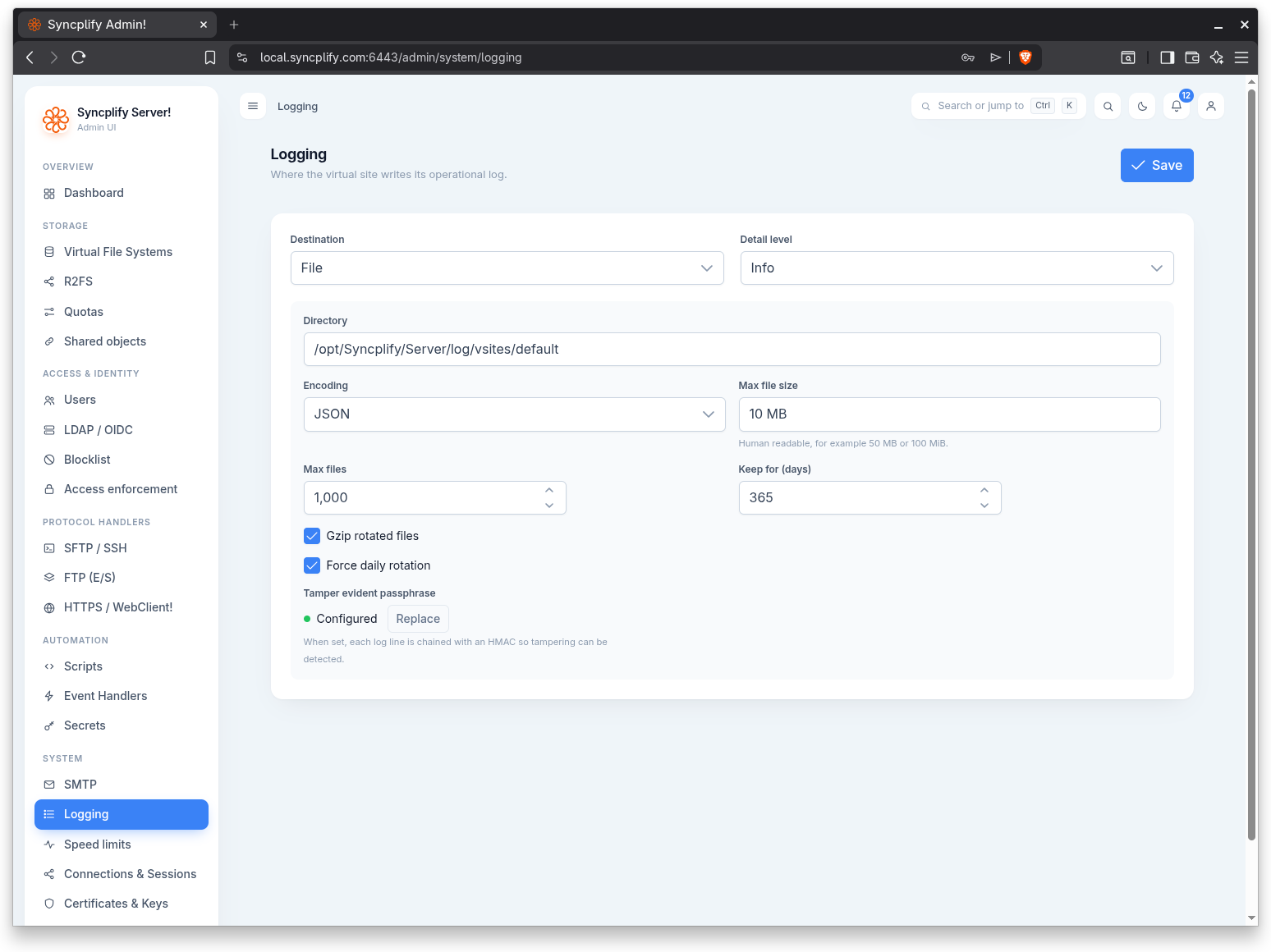
Directory
The directory where log files are created.
Encoding
The on disk encoding of the log records.
Max file size
The size at which the current log file is rotated. The value is human readable, for example 50 MB or 100 MiB.
Max files
The maximum number of rotated log files to keep. Older files beyond this count are removed.
Keep for (days)
The maximum age, in days, of rotated log files. Files older than this are removed.
Gzip rotated files
When enabled, rotated log files are compressed with gzip to save space.
Force daily rotation
When enabled, the log rotates once per day in addition to rotating when the maximum file size is reached.
Tamper evident passphrase
An optional passphrase that turns on tamper evident logging. When set, each log line is chained with an HMAC so that any later alteration of the file can be detected. The passphrase is stored as an encrypted secret; an existing value is not echoed back, so type a new one only when you want to change it, or clear it to disable the feature.
Syslog
When the destination is Syslog, the page shows the collector connection settings.
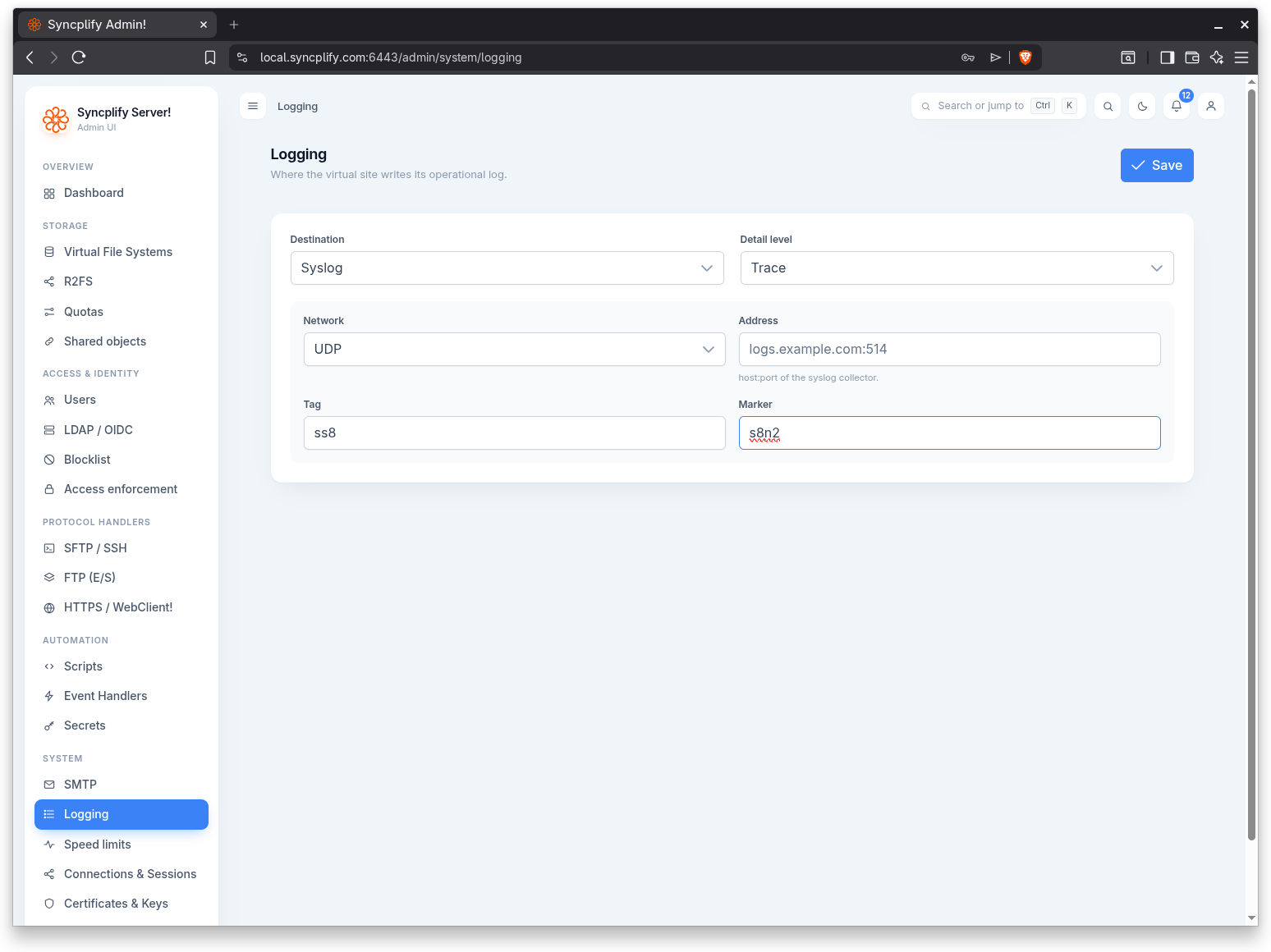
Network
The transport used to reach the syslog collector, for example UDP or TCP.
Address
The host:port of the syslog collector, for example logs.example.com:514.
Tag
The syslog tag applied to each record.
Marker
A marker string included with the forwarded records.
Saving
Use the Save button in the page header to persist the configuration. The tamper evident passphrase is sent only when you have typed a new one or explicitly cleared it.