
SFTP / SSH
This page configures the SSH-2 service that powers SFTP, SCP, and interactive shell sessions. The settings here belong to the virtual site as a whole and apply to every user who connects over SSH-2.
WARNING
These settings are read when the virtual site starts. Changes take effect after you restart it. The page shows this reminder above the configuration so you do not forget to restart after editing.
The configuration is organized into two tabs: Common and Advanced. Use Save in the page header to persist your changes.
Common
The Common tab holds the day to day service settings.
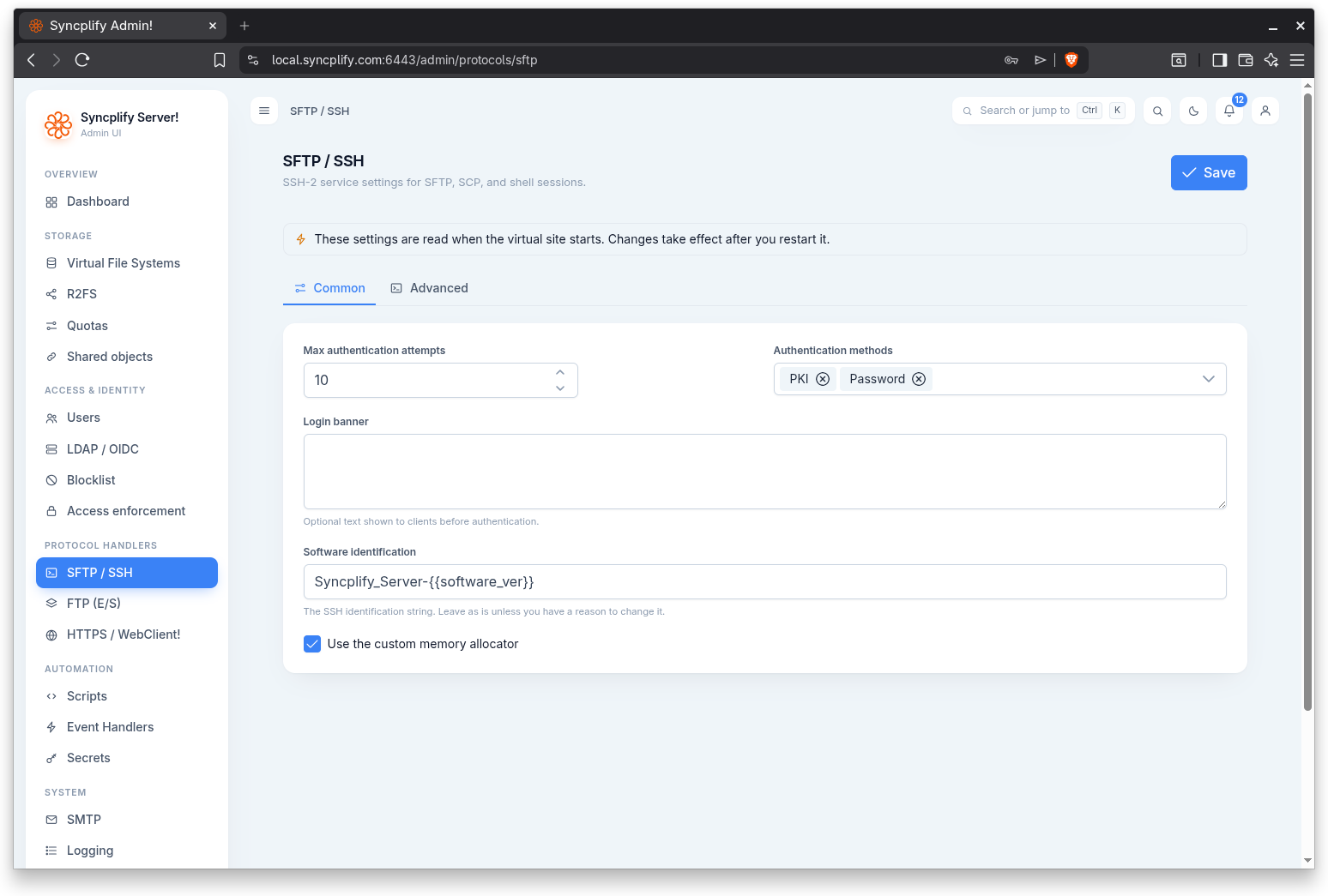
Max authentication attempts
The maximum number of in-band authentication attempts (without a disconnect/reconnect cycle) a client may make before the connection is dropped. Set this to a sensible low value to limit brute force pressure on the service.
Authentication methods
The set of authentication methods the SSH-2 service will offer to clients. You can select one or more methods; each selected method appears as a chip in the field. Clients must satisfy one of the offered methods to log in.
Login banner
Optional text shown to clients before authentication. Use this for a legal notice, a usage policy, or a short welcome message. Leave it empty if you do not want to present a banner.
Software identification
The SSH identification string the service presents during the protocol handshake. Leave it as is unless you have a specific reason to change it; some clients and security scanners key off this value.
Use the custom memory allocator
Enables the custom memory allocator for the SSH-2 service. This is an advanced tuning option; leave it at its default unless you have been advised to change it.
Advanced
The Advanced tab controls the cryptographic algorithm lists the service negotiates with clients.
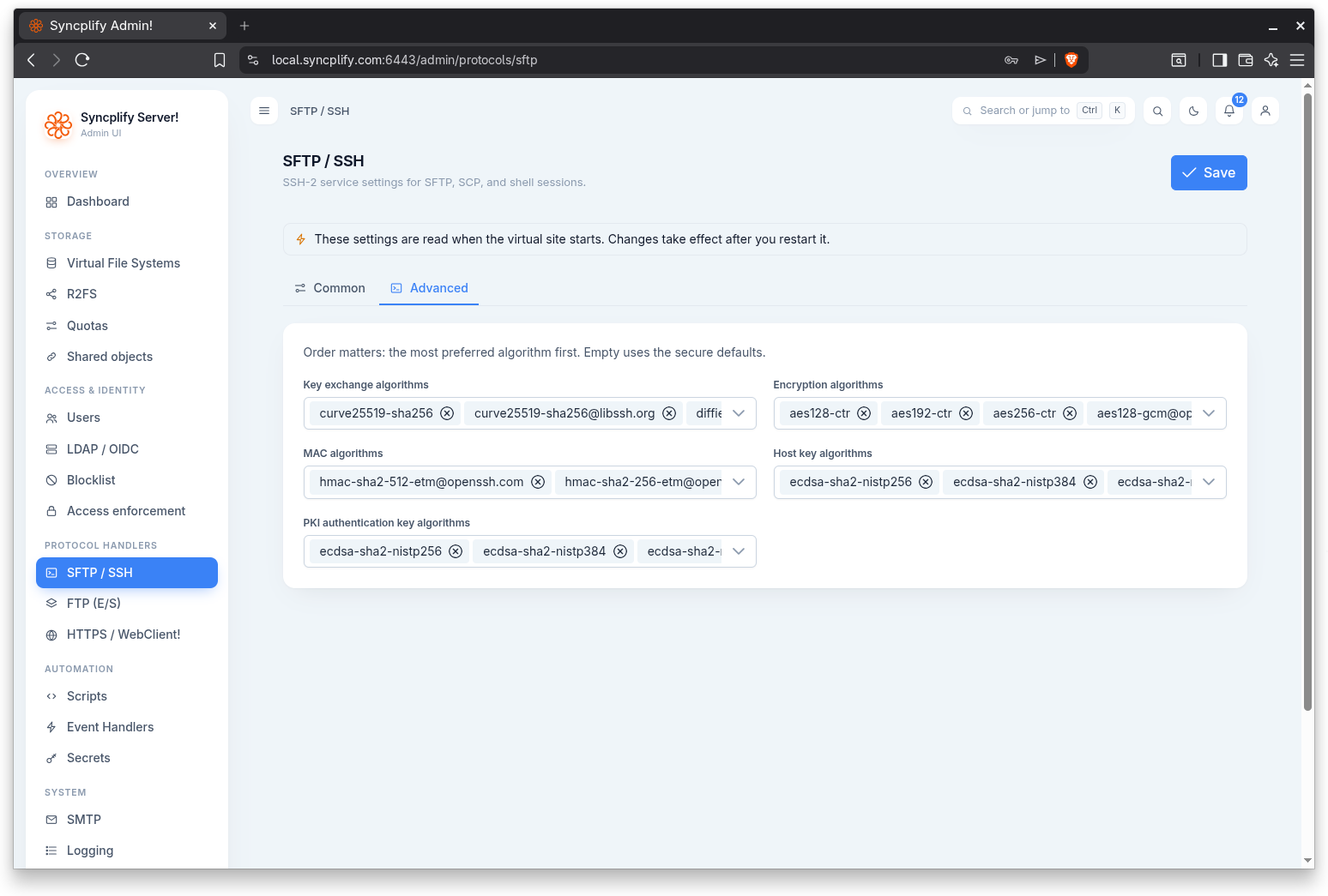
For every list on this tab, order matters: place the most preferred algorithm first. Leaving a list empty makes the service fall back to the secure defaults, which is the recommended choice unless you have a specific compliance requirement.
Key exchange algorithms
The key exchange (kex) algorithms offered during the SSH handshake, in order of preference.
Encryption algorithms
The symmetric encryption algorithms (ciphers) the service will negotiate for the session, in order of preference.
MAC algorithms
The message authentication code (MAC) algorithms used to protect the integrity of the session, in order of preference.
Host key algorithms
The host key algorithms the service will use to prove its identity to connecting clients, in order of preference.
PKI authentication key algorithms
The public key algorithms accepted when a user authenticates with a key pair (public key authentication), in order of preference.
Each list is a multi select field that shows the chosen algorithms as chips. Remove a chip to drop an algorithm; clear the whole list to revert to the secure defaults.