
SMTP
The SMTP page configures the outbound email that the virtual site uses for notifications and for shared object links. When these settings are correct, the server can deliver password reset messages, alerts, and the public links generated when users share files and folders.
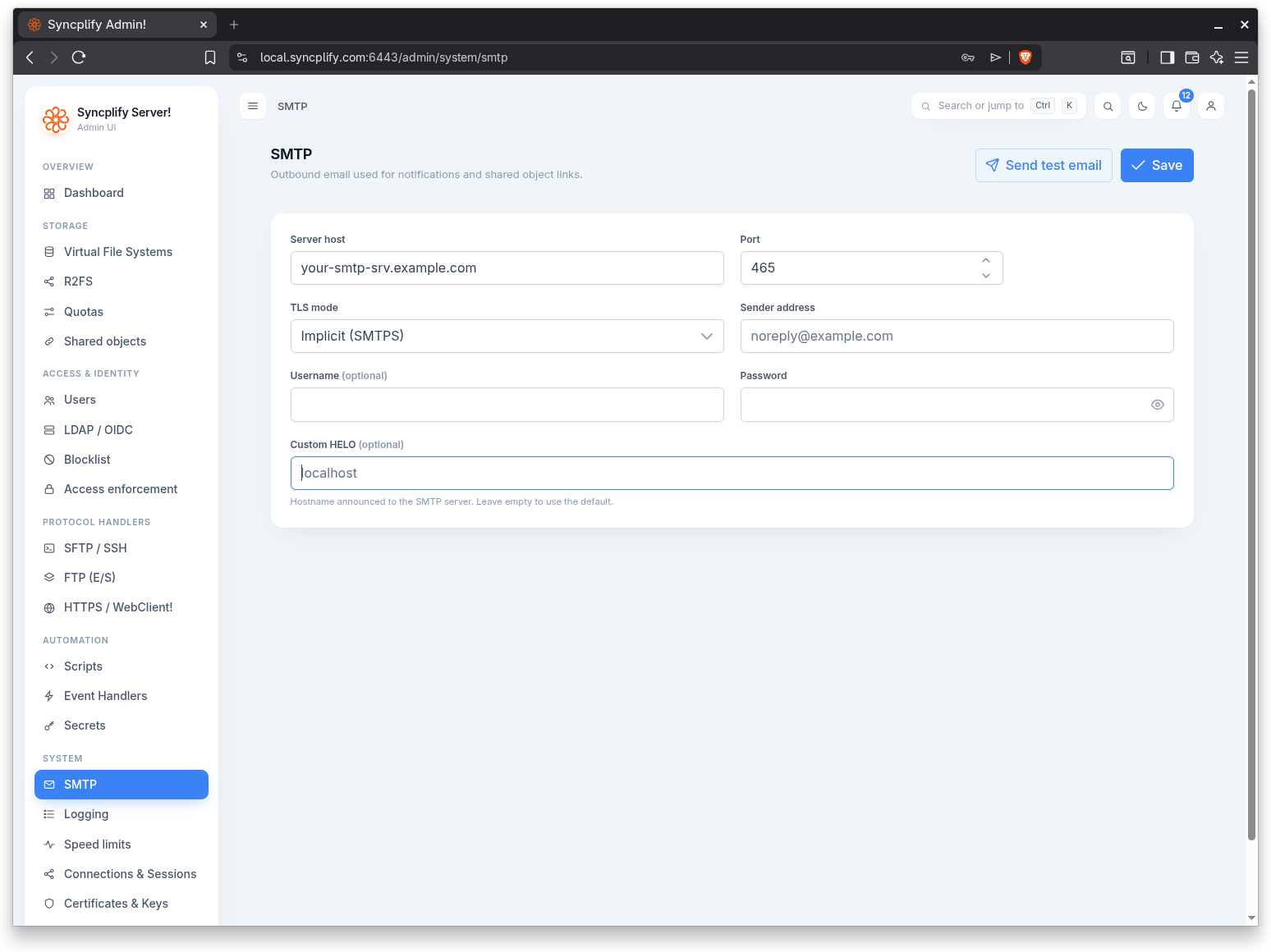
Connection settings
All connection fields live on a single card. Fill them in to match the mail relay you intend to use, then save.
Server host
The host name or IP address of the SMTP server that will relay outbound messages.
Port
The TCP port the SMTP server listens on. Common values are 587 for explicit STARTTLS, 465 for implicit SMTPS, and 25 for unencrypted submission. The field accepts any value from 1 to 65535.
TLS mode
How the connection to the SMTP server is secured. Three modes are available:
- None: the session is opened in clear text with no transport encryption.
- Implicit (SMTPS): TLS is negotiated immediately when the socket opens, typically on port 465.
- Explicit (STARTTLS): the session begins in clear text and is upgraded to TLS with the STARTTLS command, typically on port 587.
Sender address
The address that appears in the From header of every message the server sends, for example noreply@example.com.
Username
The account name used to authenticate with the SMTP server. This field is optional; leave it empty when the relay accepts unauthenticated submission.
Password
The password that pairs with the username. The password is stored as an encrypted secret. An existing password is never echoed back into the form; type a new value only when you want to change it, or clear it to remove it.
Custom HELO
The host name announced to the SMTP server during the HELO or EHLO handshake. This field is optional; leave it empty to use the default. Some strict relays reject connections whose announced host name does not resolve, so set this when the default value is not accepted.
Send a test email
Use the Send test email button in the page header to confirm that the current settings actually deliver mail.
The dialog asks for a single Recipient address, then sends a test message using the settings shown on the page, including any unsaved changes. This lets you verify a new configuration before committing it. On success a confirmation appears; check the recipient inbox to confirm delivery.
Saving
Use the Save button in the page header to persist the configuration. The page sends the password only when you have typed a new one or explicitly cleared it.