
Creating the first SuperAdmin account
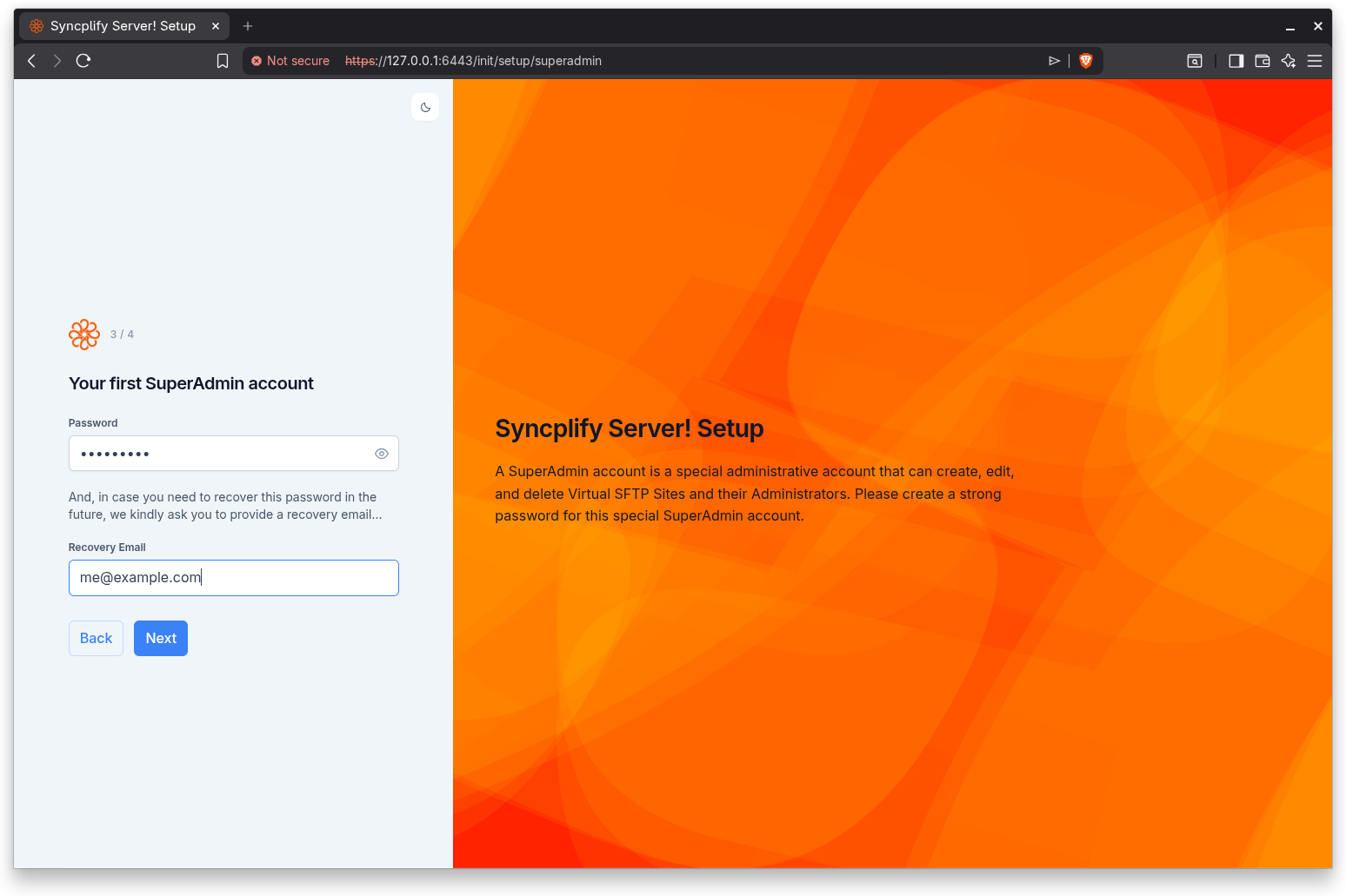
This step belongs to the standalone path. The heading reads "Your first SuperAdmin account". The introduction explains that a SuperAdmin account is a special administrative account that can create, edit, and delete Virtual SFTP Sites and their Administrators, and it asks you to create a strong password for this special account.
What a SuperAdmin is
The SuperAdmin is the top level administrative identity for this server. It can create, edit, and delete Virtual SFTP Sites and the Administrators who manage them. The first SuperAdmin account is created here, during setup, and its username is fixed as sa. Because of the power this account holds, choose a strong password.
Password
Enter the SuperAdmin password in the Password field. The field offers a show and hide control so you can reveal what you typed and confirm it. A password is required; if you leave the field empty, the wizard reports "A password is required" and does not continue.
Recovery Email
Below the password, the wizard explains that, in case you need to recover this password in the future, it asks you to provide a recovery email. Enter a valid email address in the Recovery Email field. This address is used for password recovery later. The wizard validates it:
- "An email address is required" appears when the field is empty.
- "Please enter a valid email address" appears when the value is not a valid email address.
Step indicator
This step shows Step 3 of 4.
Continuing
Click Back to return to the node ID step, or Next to continue to two-factor authentication. The SuperAdmin account is not committed yet at this point; it is created at the end of the next step, after you have decided whether to enable two-factor authentication.