
FTP (E/S)
This page configures the FTP, FTPS, and FTPES service settings for the virtual site. The (E/S) in the title refers to the two TLS variants the service supports: explicit FTPS (FTPES, which upgrades a plain connection with STARTTLS) and implicit FTPS.
WARNING
These settings are read when the virtual site starts. Changes take effect after you restart it; the page shows a restart reminder above the configuration.
The configuration is split into three tabs: Common, Features, and TLS. Use Save in the page header to persist your changes.
Common
The Common tab groups the banners and the passive mode addressing settings.
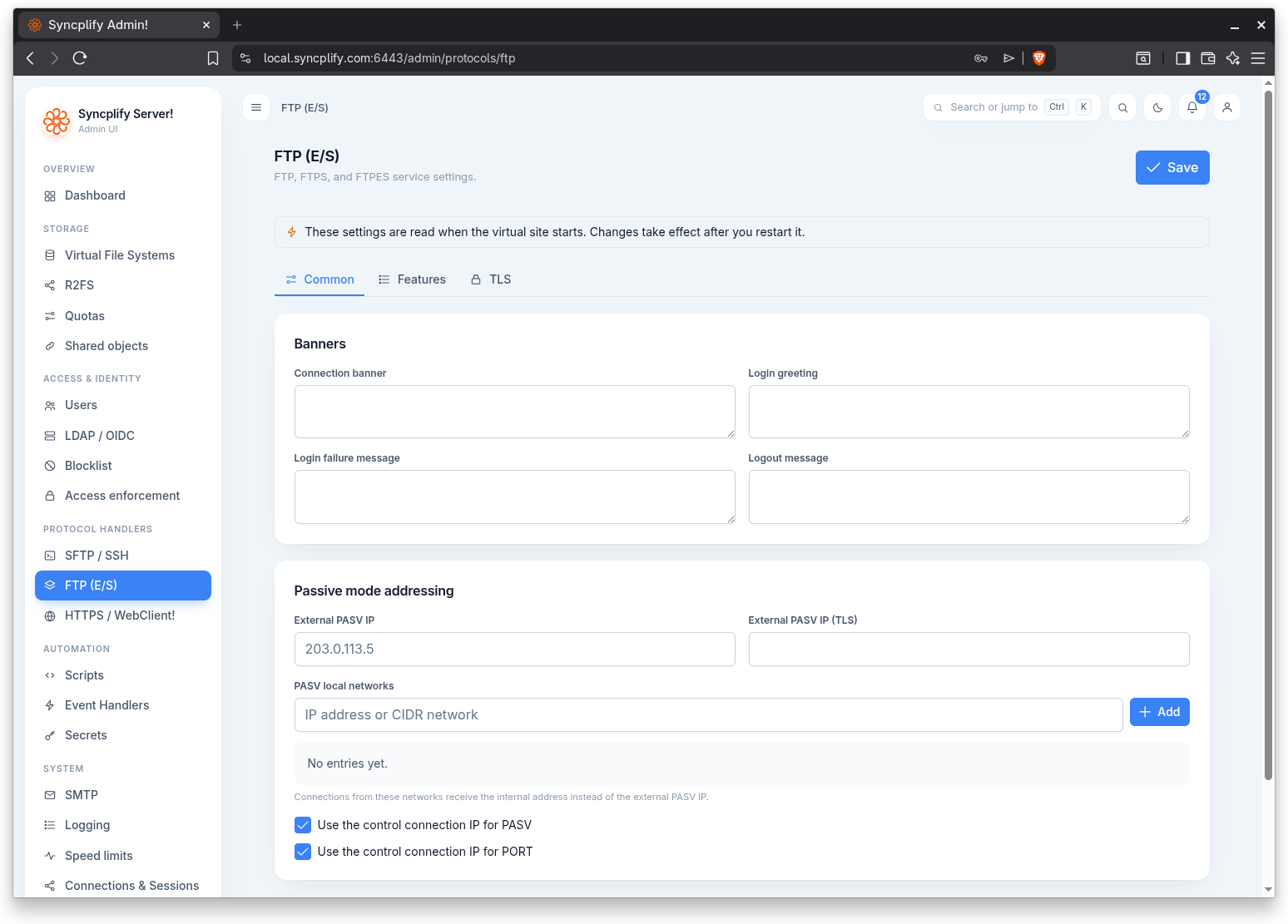
Banners
The Banners section lets you customize the messages the service presents at the various stages of a session. Each field is a free text box.
- Connection banner: text shown as soon as a client connects, before authentication.
- Login greeting: text shown after a successful login.
- Login failure message: text shown when authentication fails.
- Logout message: text shown when the client disconnects.
Passive mode addressing
Passive mode addressing controls the address the service advertises to clients for passive (PASV) data connections. This matters when the server sits behind NAT or a firewall and the public address differs from the address the service binds to.
- External PASV IP: the public address advertised to clients for passive data connections over plain FTP.
- External PASV IP (TLS): the public address advertised for passive data connections when TLS is in use.
- PASV local networks: a list of networks in CIDR form. Connections originating from these networks receive the internal address instead of the external PASV IP, so local clients are not routed out and back in.
- Use the control connection IP for PASV: only accept a passive data connection from the address the control connection came from. Any other peer that reaches the passive port is refused.
- Use the control connection IP for PORT: only accept PORT and EPRT commands that name the address the control connection came from. A client cannot make the server open a data connection to a third party.
Features
The Features tab enables or disables individual FTP commands and features. Each item is a toggle.
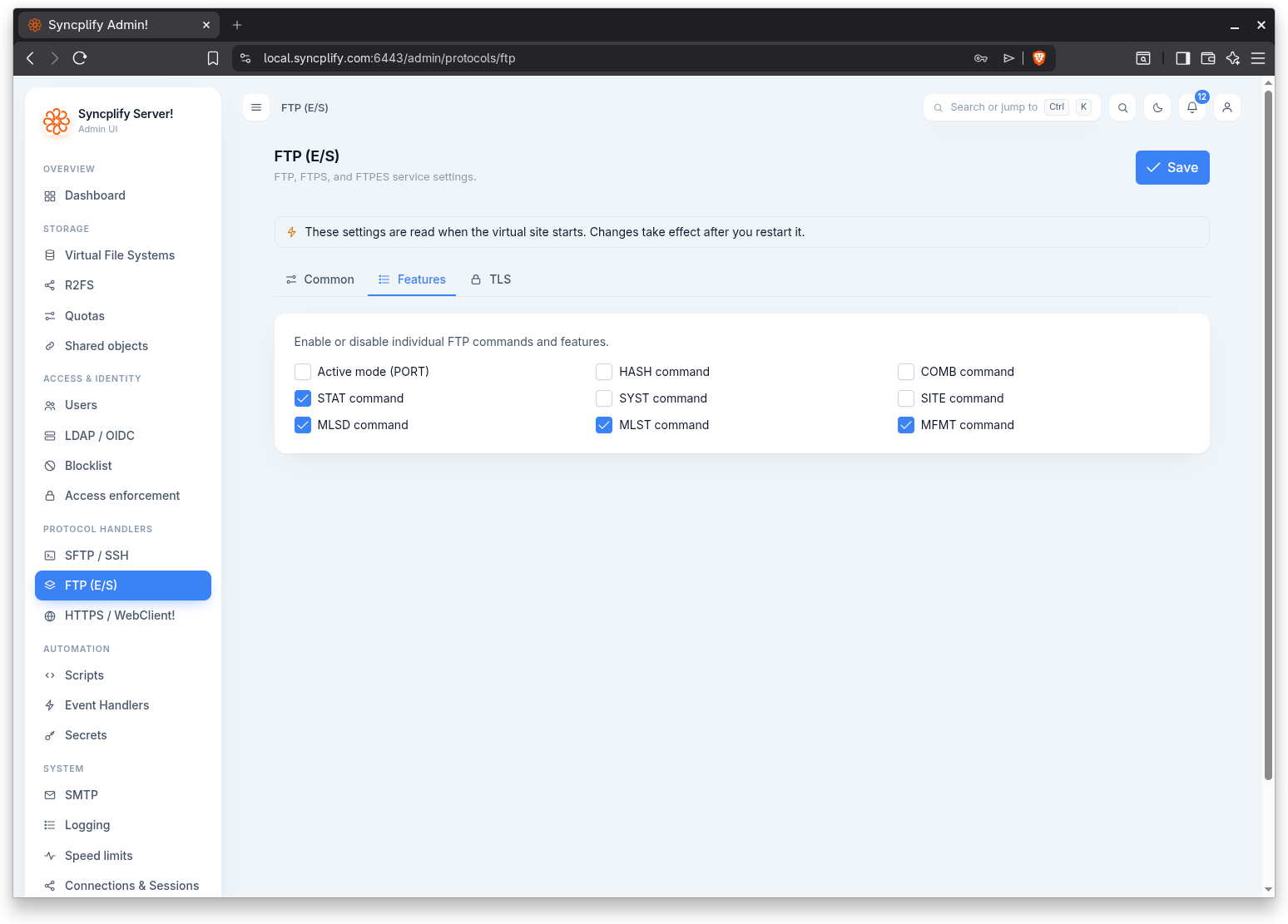
- Active mode (PORT): allow active mode data connections initiated with the PORT command. The server dials them from the address the client connected to, so on a host with several network interfaces the client always sees the data connection come from the address it used for the control connection.
- HASH command: support the HASH command for computing file checksums.
- COMB command: support the COMB command for combining partial uploads.
- STAT command: support the STAT command.
- SYST command: support the SYST command, which reports the system type.
- SITE command: support SITE subcommands.
- MLSD command: support the MLSD command for machine readable directory listings.
- MLST command: support the MLST command for machine readable single file listings.
- MFMT command: support the MFMT command for modifying a file's last modification time.
TLS
The TLS tab controls how the service secures connections.
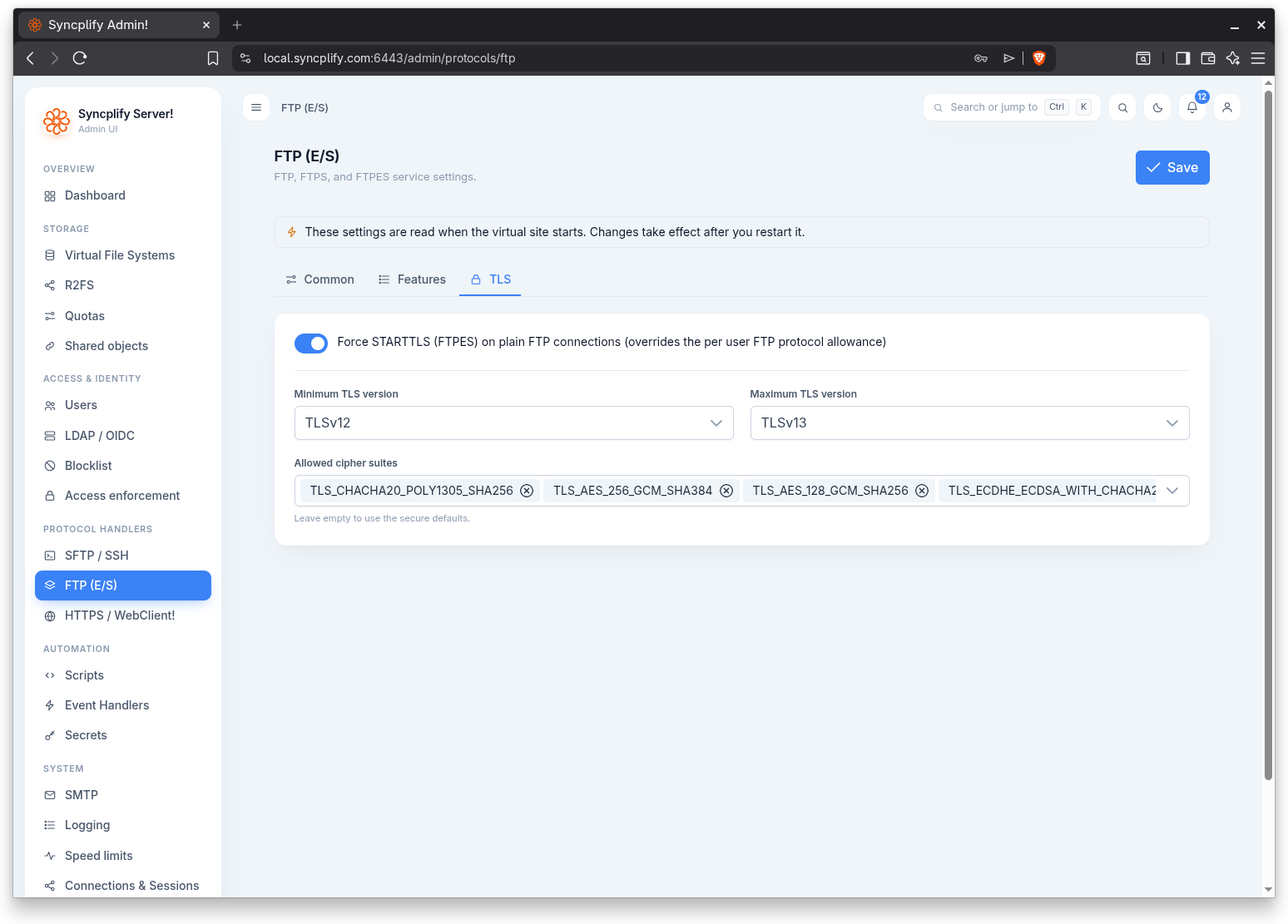
Force STARTTLS
The toggle at the top of the tab is "Force STARTTLS (FTPES) on plain FTP connections (overrides the per user FTP protocol allowance)". When enabled, the service requires clients on plain FTP to upgrade the connection with STARTTLS before transferring data, regardless of what a given user's FTP protocol allowance would otherwise permit. The service never serves fully plain FTP without an upgrade path; this toggle decides whether STARTTLS is forced or merely allowed.
Virtual sites created from version 8.3.1 on start with the toggle on: a client that sends its credentials before AUTH TLS is refused. Sites created earlier keep whatever they had, and choosing the "maximum compatibility" security mode turns it off again, since that mode is an explicit request for plaintext capable FTP. Turn it off only for a client that cannot do STARTTLS at all, and consider giving that client SFTP instead.
TLS versions and ciphers
- Minimum TLS version: the lowest TLS version the service will accept.
- Maximum TLS version: the highest TLS version the service will negotiate.
- Allowed cipher suites: the cipher suites the service may use, selected from a filterable list and shown as chips. Leave this empty to use the secure defaults.