
Scripts
Scripts are JavaScript automation invoked by event handlers. A script holds a block of JavaScript code that runs in the embedded JavaScript engine when its event fires. You write the script here, then bind it to a server event on the Event Handlers page.
CAUTION
The Scripts permission is a privileged one. Grant it accordingly.
Script code runs inside the worker service process, which normally runs as root on Linux or as SYSTEM on Windows. SyncJS deliberately exposes Run(), RunAsync() and RunCapture(), which start operating system processes, and GetSecret(), which returns the decrypted value of any entry in the Secrets store. There is no sandbox between a script and the host.
The practical consequences are worth stating plainly:
- An administrator who holds Scripts but not Secrets can still read every stored secret value, by calling
GetSecret()from a script. The write only rule on the Secrets page governs the management API, not the scripting engine. - An administrator who holds Scripts can replace the body of a script that somebody else already bound to an event. Binding is controlled by different permissions (Server config for global handlers, Users for per user ones), and a binding refers to a script by identity, not by content. So the administrator who decides what runs and the administrator who decides what the code is can be two different people, and the second one needs no cooperation from the first.
Treat granting Scripts as equivalent to granting shell access to the server and read access to every secret in the virtual site. It is not one configuration page among many.
Scripting is a license gated feature. If your license does not include scripting, the page shows a locked notice in place of the list and the New script action is hidden.
Scripts list
The list shows every script defined on the server, with two columns:
- Name: the readable name of the script.
- Description: an optional short description (a dash is shown when empty).
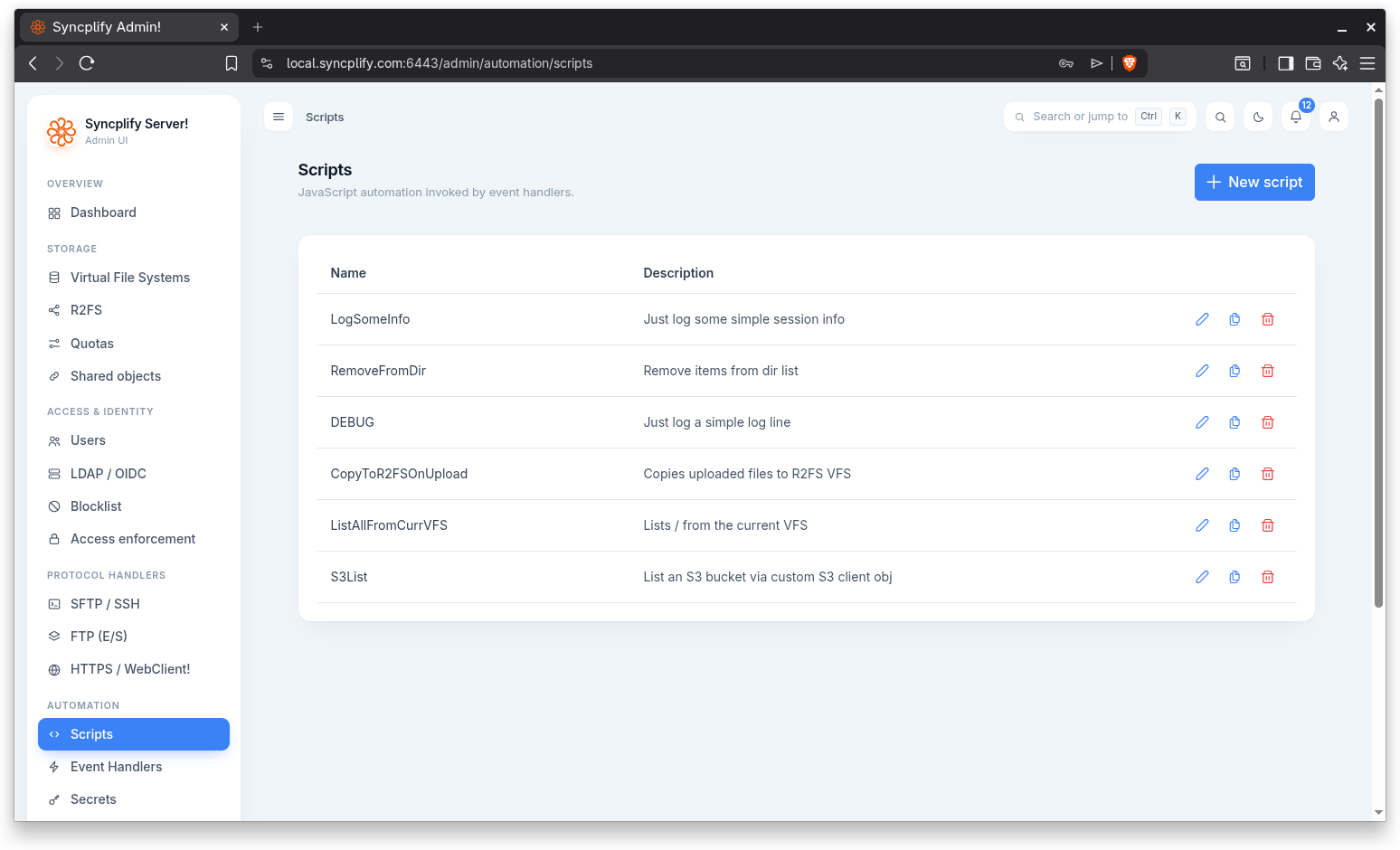
When no scripts exist yet, the page shows the message No scripts yet, with the hint to create a script, then bind it to an event in Event Handlers.
Create a script
Click New script to open the editor. The dialog is titled New script when creating and Edit script when editing an existing one.
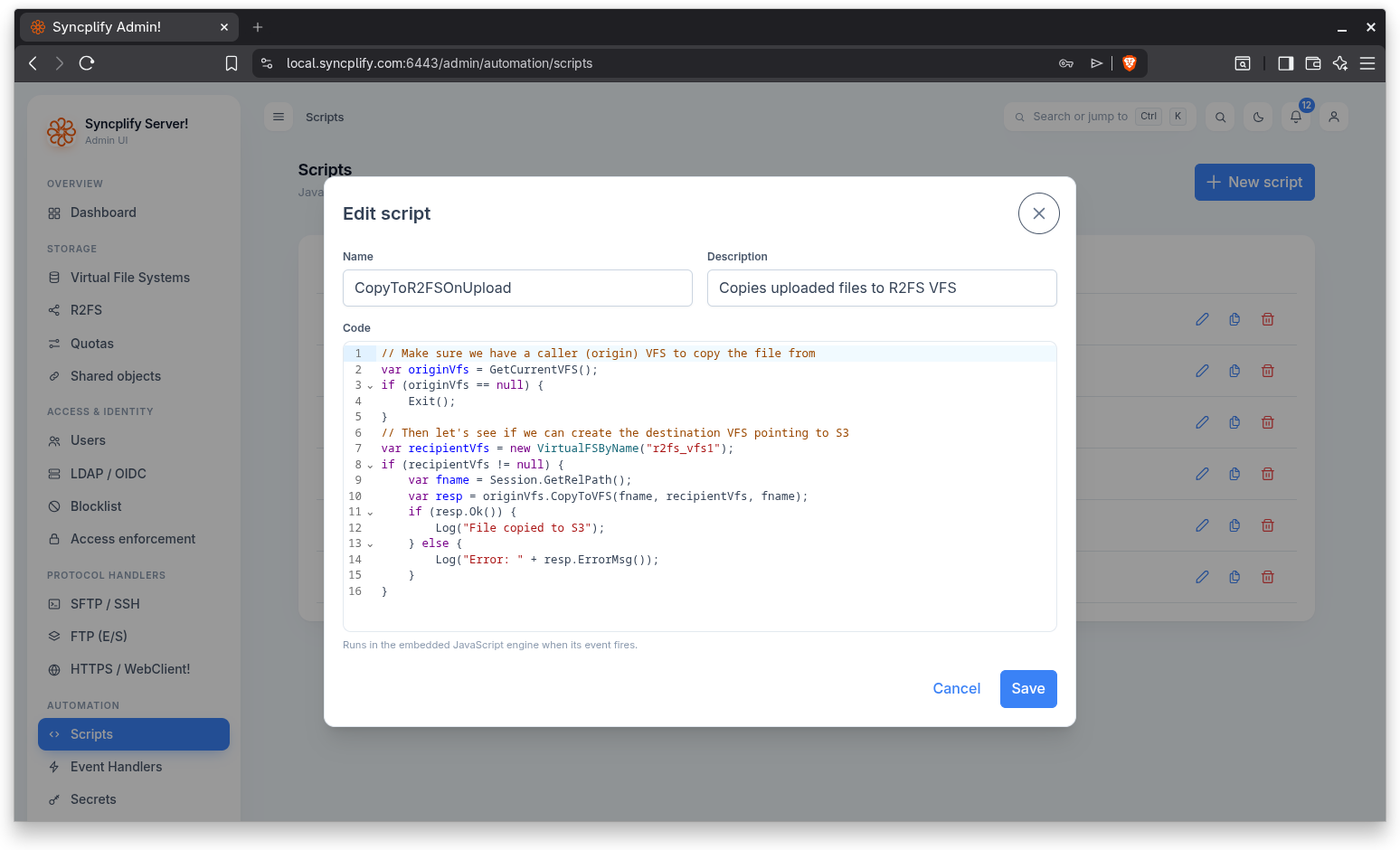
The editor has the following fields:
- Name: the name of the script. A name is required; the editor reports an error if you try to save without one.
- Description: an optional free text description.
- Code: the JavaScript source. The code runs in the embedded JavaScript engine when its event fires.
Click Save to store the script, or Cancel to discard your changes.
Edit a script
Use the pencil icon on a row to open the script in the editor. Editing loads the full script (including its code) and saves only the fields you actually changed.
Clone a script
Use the copy icon to clone a script. The clone is created with the same description and code, and its name has the suffix " copy" appended so you can tell the copy apart from the original.
Delete a script
Use the trash icon to delete a script. You are asked to confirm; the confirmation warns that event handlers bound to the script will stop running. Deleting a script therefore stops any event handler that was bound to it.
Binding a script to an event
A script does nothing on its own. To make it run, bind it to a server event on the Event Handlers page, where you choose the event, the script, and the run settings.