
Blocklist
The Blocklist section shows the addresses the Protector is currently blocking from this virtual site, and lets you tune how the Protector reacts to suspicious activity. The page is organized into two tabs:
- Blocklist
- Protector
You can move between the tabs with the mouse, or with the keyboard arrow keys when the tab strip has focus (Home and End jump to the first and last tab).
Blocklist
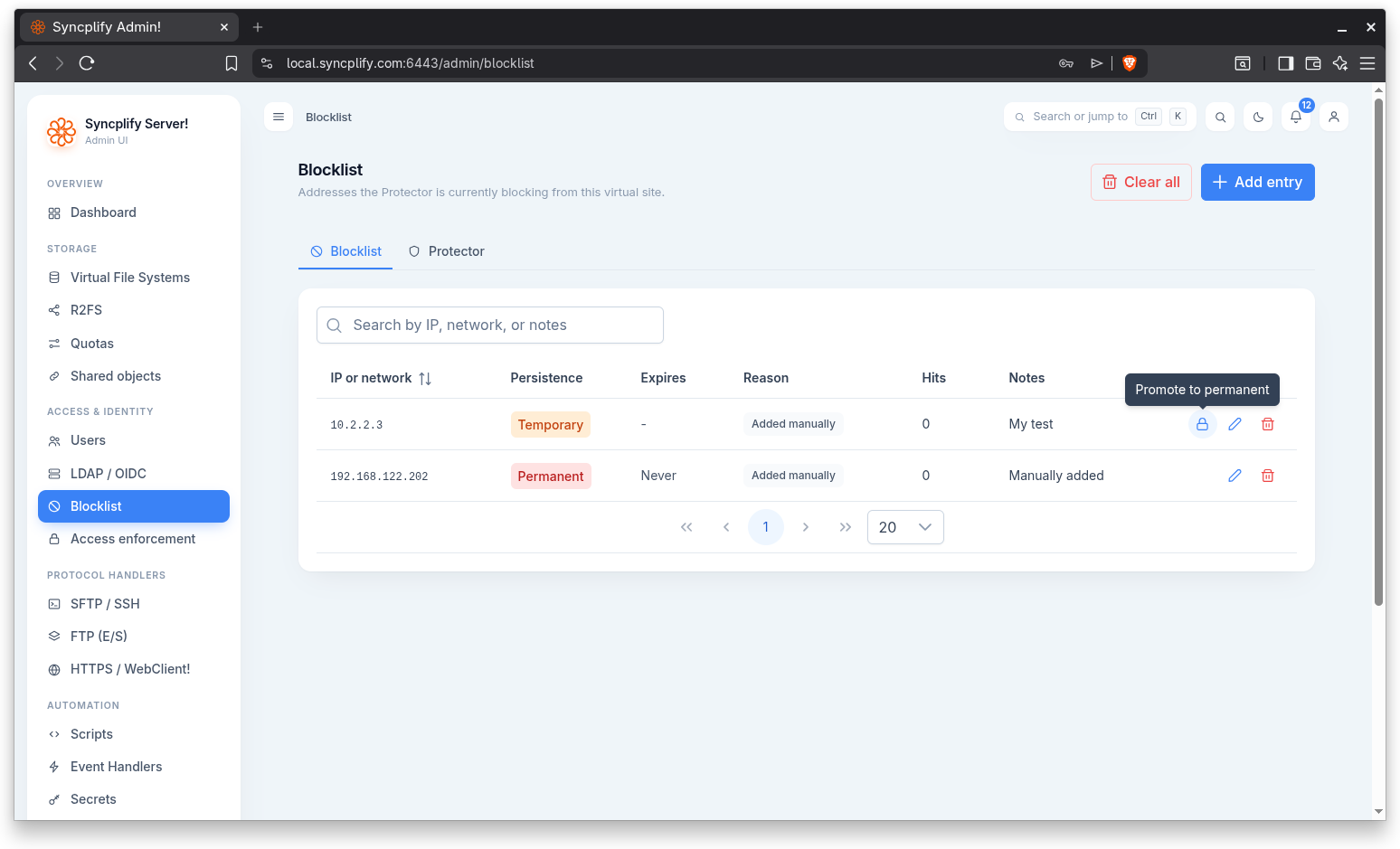
This tab lists the blocked addresses and networks. Because the list can grow very large when the Protector is active, it is paged on the server, with a page size of 20, 50, or 100 rows. A search box above the table filters by IP, network, or notes.
The table shows the following columns:
- IP or network
- Persistence: Permanent or Temporary
- Expires: a date and time for temporary entries, or Never for permanent ones
- Reason: why the entry was added. The possible reasons are Added manually, Authentication failures, Hammering, Protocol violation, and Added by script.
- Hits
- Notes
Adding an entry
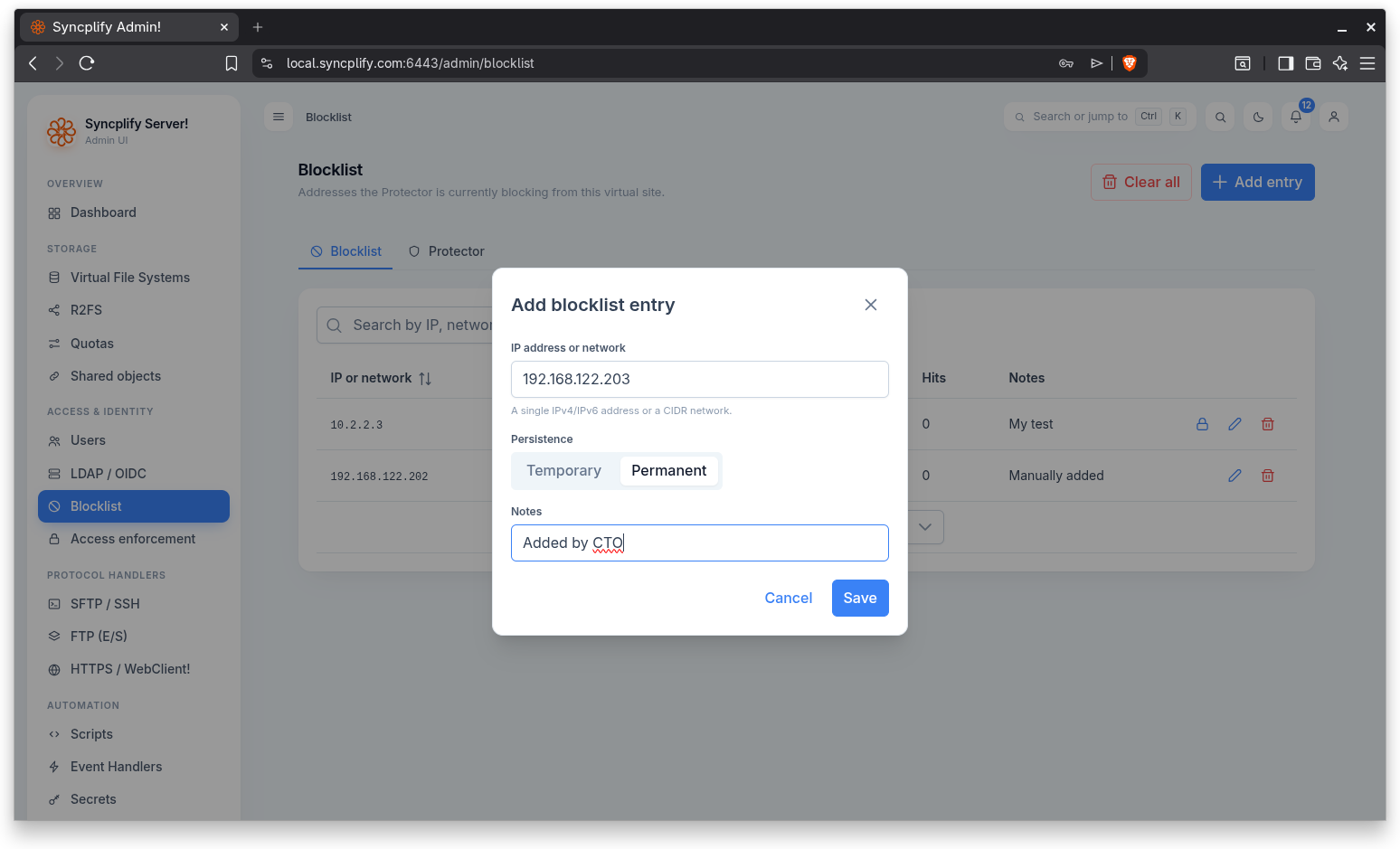
Use the Add entry button above the table to open the dialog. It has the following fields:
- IP address or network: a single IPv4 or IPv6 address, or a CIDR network. The value is validated before saving.
- Persistence: Temporary or Permanent.
- Expiration: shown only for temporary entries; sets the date and time when the block lapses.
- Notes: free text.
Promoting to permanent
Temporary entries show a Promote to permanent action. Promoting asks for confirmation; making the block permanent removes its expiration.
Removing an entry
Each row offers a Remove entry action that asks for confirmation, naming the address, before the entry is deleted.
Clearing the list
The Clear all button above the table removes every entry from the blocklist. This asks for confirmation and cannot be undone.
Protector
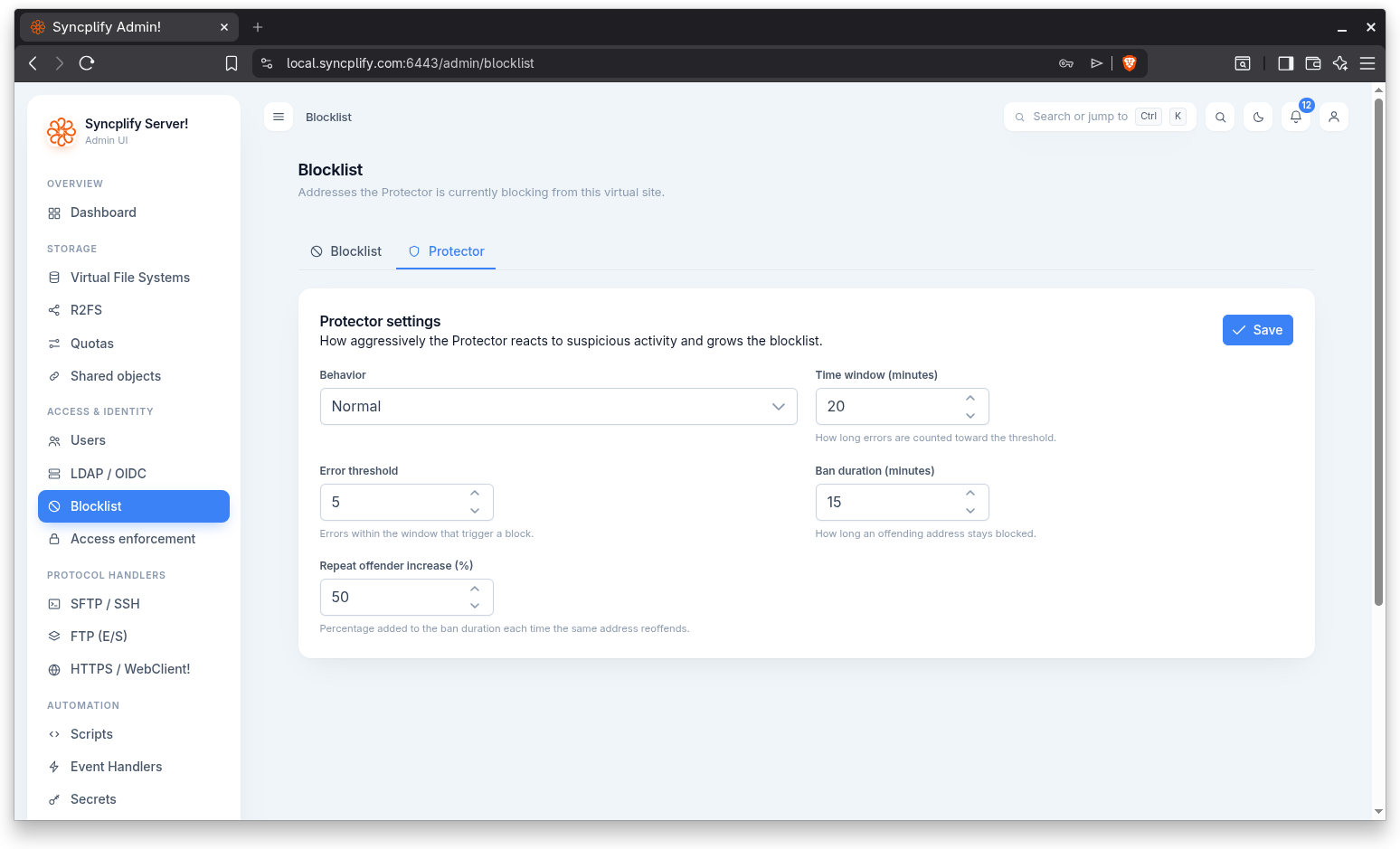
The Protector tab controls how aggressively the Protector reacts to suspicious activity and grows the blocklist. After changing any setting, use the Save button to persist it.
The settings are:
- Behavior: the overall posture. The choices are Permissive, Normal, Strict, and Paranoid.
- Time window (minutes): how long errors are counted toward the threshold.
- Error threshold: the number of errors within the window that trigger a block.
- Ban duration (minutes): how long an offending address stays blocked.
- Repeat offender increase (%): the percentage added to the ban duration each time the same address reoffends.