WebClient! User Settings
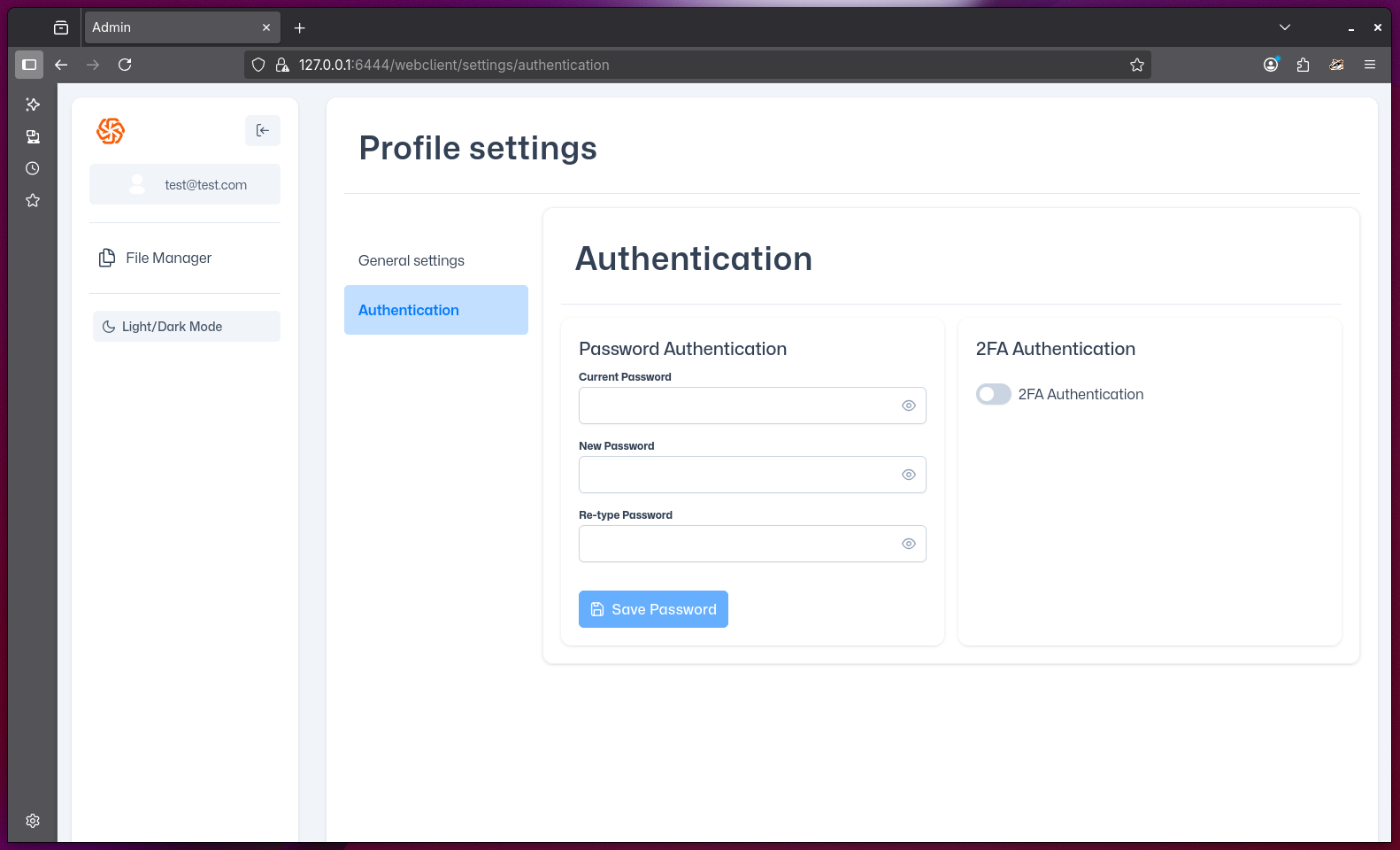
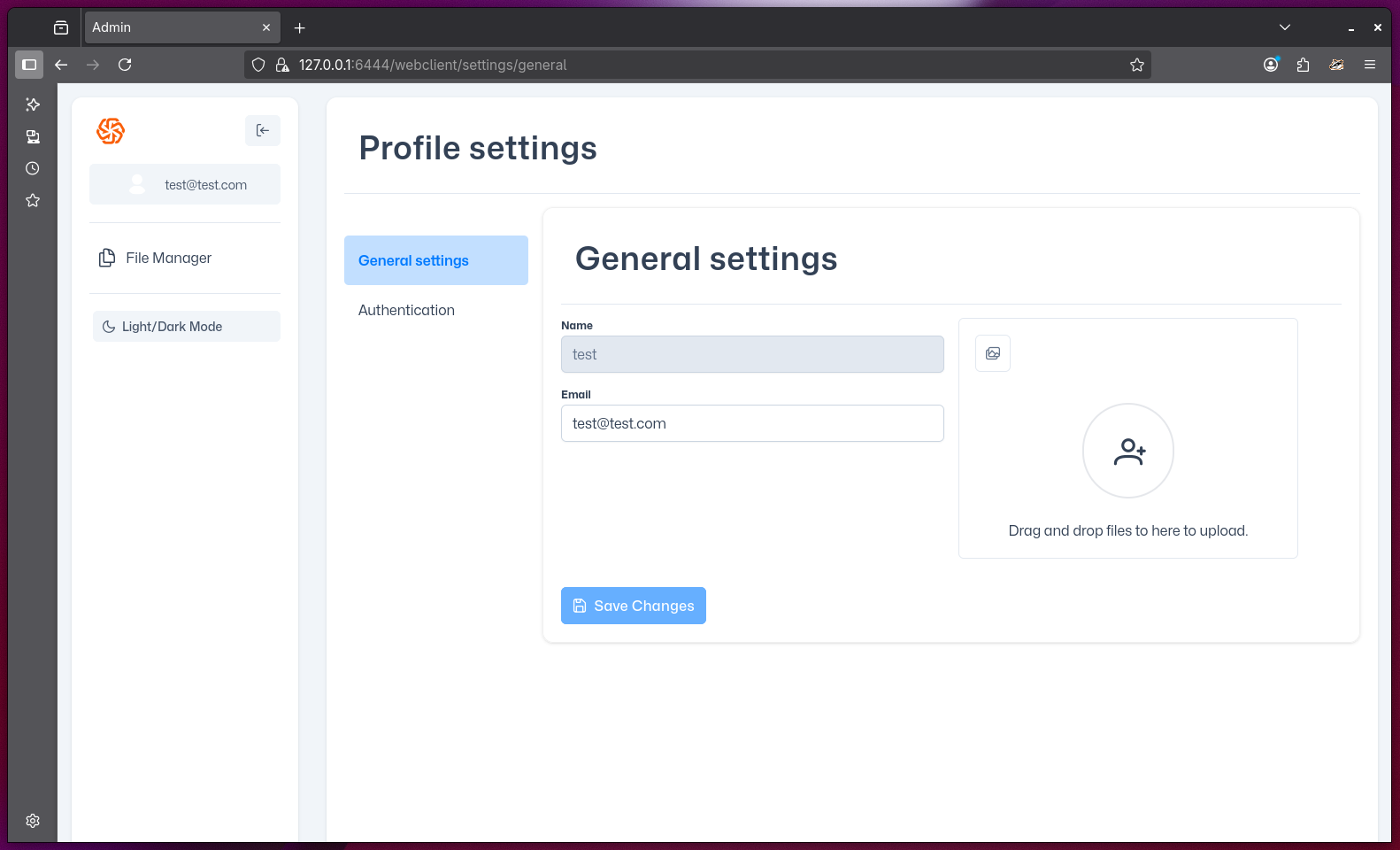
You can edit your user profile settings via WebClient! The settings page is divided into two main sections:
General Settings
- Name: Displays your current username (read-only).
- Email: Shows your registered email address.
- Profile Picture: You can upload a new profile picture by dragging and dropping a file into the upload area.
NOTE
Only the profile picture and email can be changed in this section. The username is not editable.
Authentication
- Password Authentication: Change your password by entering your current password, then your new password twice for confirmation. Click "Save Password" to apply changes.
- 2FA Authentication: Enable or disable two-factor authentication (2FA) for your account by toggling the switch.
WARNING
Make sure to remember your new password and set up 2FA only if you have access to your authentication device.