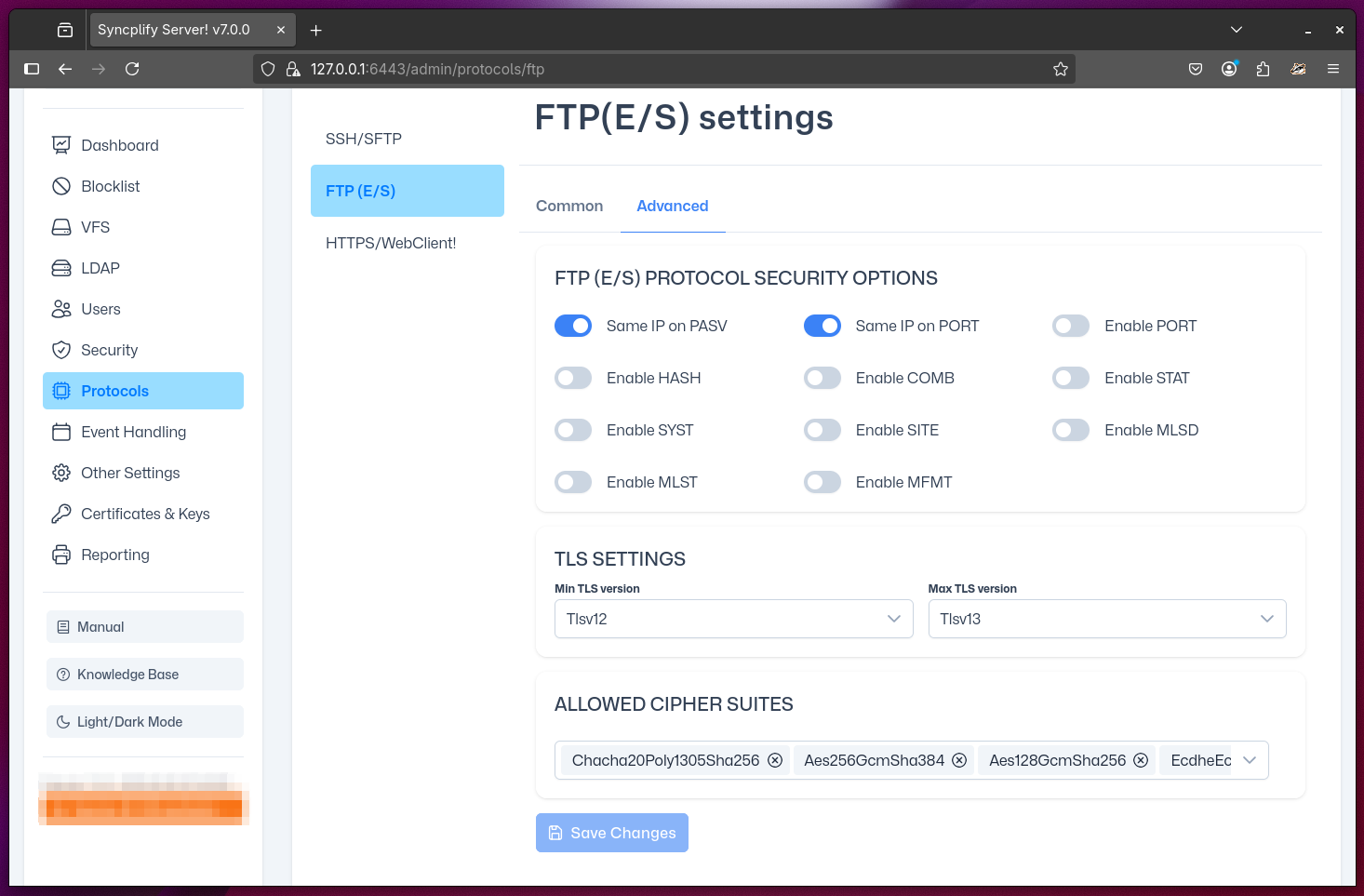
Advanced FTP(E/S) Settings
This section is intended for experts only, as it allows you to configure advanced aspects of your Syncplify Server!'s FTP(E/S) protocol handler. These settings require a thorough understanding of the FTP protocol standard as defined in its various RFCs.
Below is a brief overview of the available settings:
- Same IP on PASV: Requires that each passive (PASV) data connection is established from the same IP address as its corresponding control connection.
- Same IP on PORT: Requires that each active (PORT) data connection is made to the same IP address as its corresponding control connection.
- Enable PORT: Enables active FTP(E/S) mode. This typically only works in LAN or non-routed environments, so use caution when enabling this setting.
- Enable HASH: Enables the HASH protocol extension, allowing clients to request that the server computes and returns a file's hash code. This operation can be resource-intensive, so enable it only if necessary.
- Enable COMB: Enables the COMB protocol extension, allowing clients to request that the server combines two or more files into one.
- Enable STAT: Enables the standard STAT FTP command on the server, which provides directory or file status information to the client.
- Enable SYST: Enables the standard SYST FTP command, allowing the server to report its system type to the client.
- Enable SITE: Enables the standard SITE FTP command, which allows clients to send site-specific commands for server-side operations.
- Enable MLSD: Enables the MLSD command, which provides machine-readable directory listings in a standardized format.
- Enable MLST: Enables the MLST command, which provides machine-readable information about a single file or directory entry.
- Enable MFMT: Enables the MFMT command, allowing clients to modify the last-modified time (timestamp) of a file on the server.
In addition to these options, this section also allows you to configure several technical aspects of the server's support for TLS encryption and security.