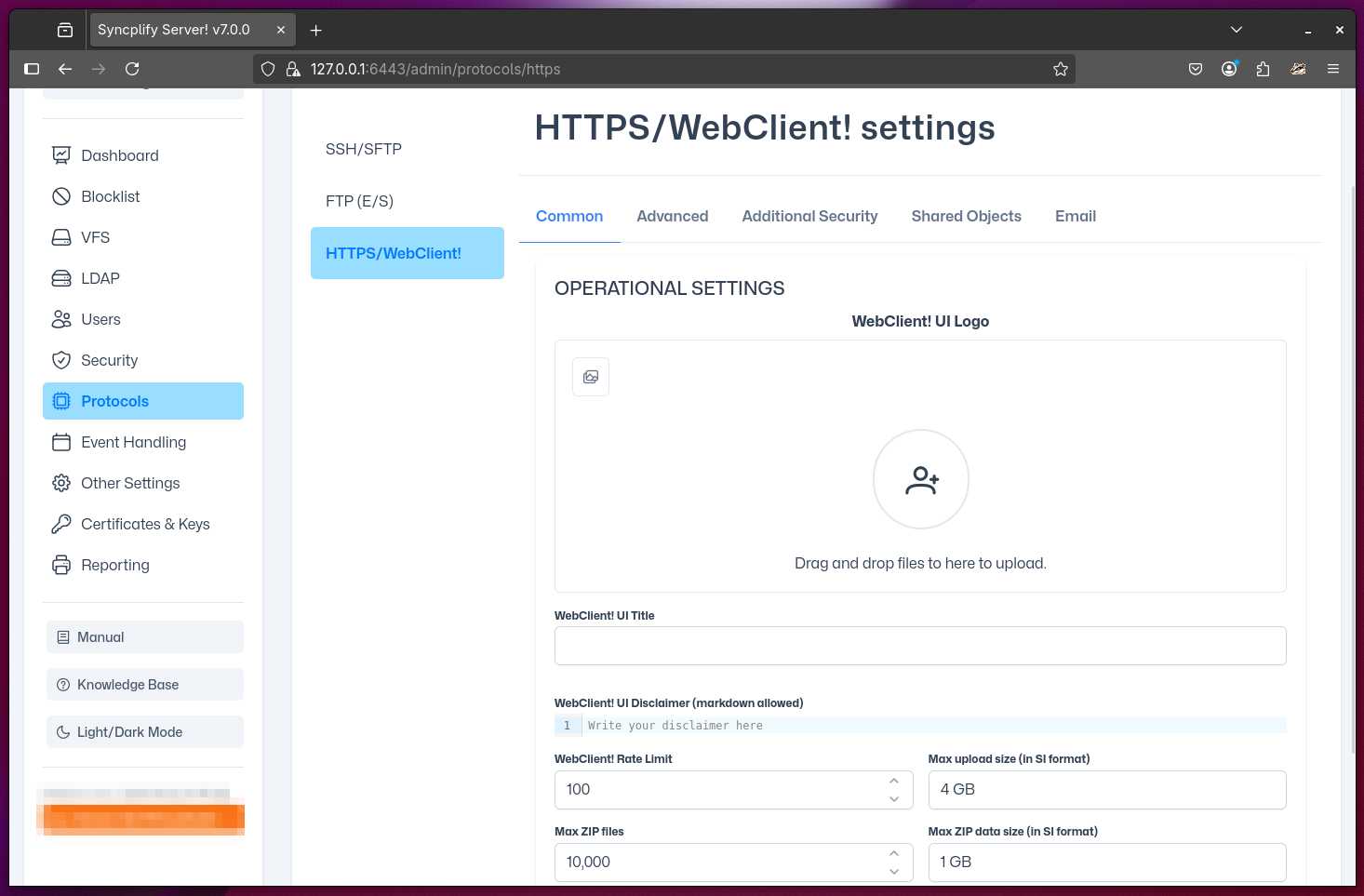
General WebClient! (HTTPS) Settings
This section allows you to specify basic settings for the HTTPS protocol handler, also known as the WebClient! subsystem.
UI Settings
You can upload your own logo, which will be displayed on the WebClient! login page, as well as the favicon and within the main WebClient! UI.
You can also customize the WebClient! title and disclaimer (the disclaimer supports markdown), as well as the basic UI colors, to fully align WebClient! with your corporate brand identity.
Operational Settings
The most basic operational settings are also configured on this page. Specifically:
- Rate Limit: Sets the maximum number of requests per second that a single client can make to the WebClient! UI. This helps prevent abuse and ensures fair usage for all users.
- Max Upload Size: Defines the largest file size (expressed in SI notation, e.g., 1 GB for 1 gigabyte) that a user can upload in a single operation.
- Max ZIP Files: Sets the maximum number of individual files that can be included in a single ZIP archive when a user downloads multiple files at once.
- Max ZIP Data Size: Specifies the largest total size (expressed in SI notation) allowed for the contents of a ZIP archive generated for download. If the selected files exceed this size, the download will be blocked.
- Show Help and KB Links: Determines whether links to Syncplify's official manual and knowledge base are displayed in the WebClient! UI for user reference.