
JWT
The SuperAdmin UI and all Admin UIs use JWT (JSON Web Token) for authorization and to maintain REST-compliant, multi-node high-availability (HA) session consistency. This section allows you to configure JWT settings.
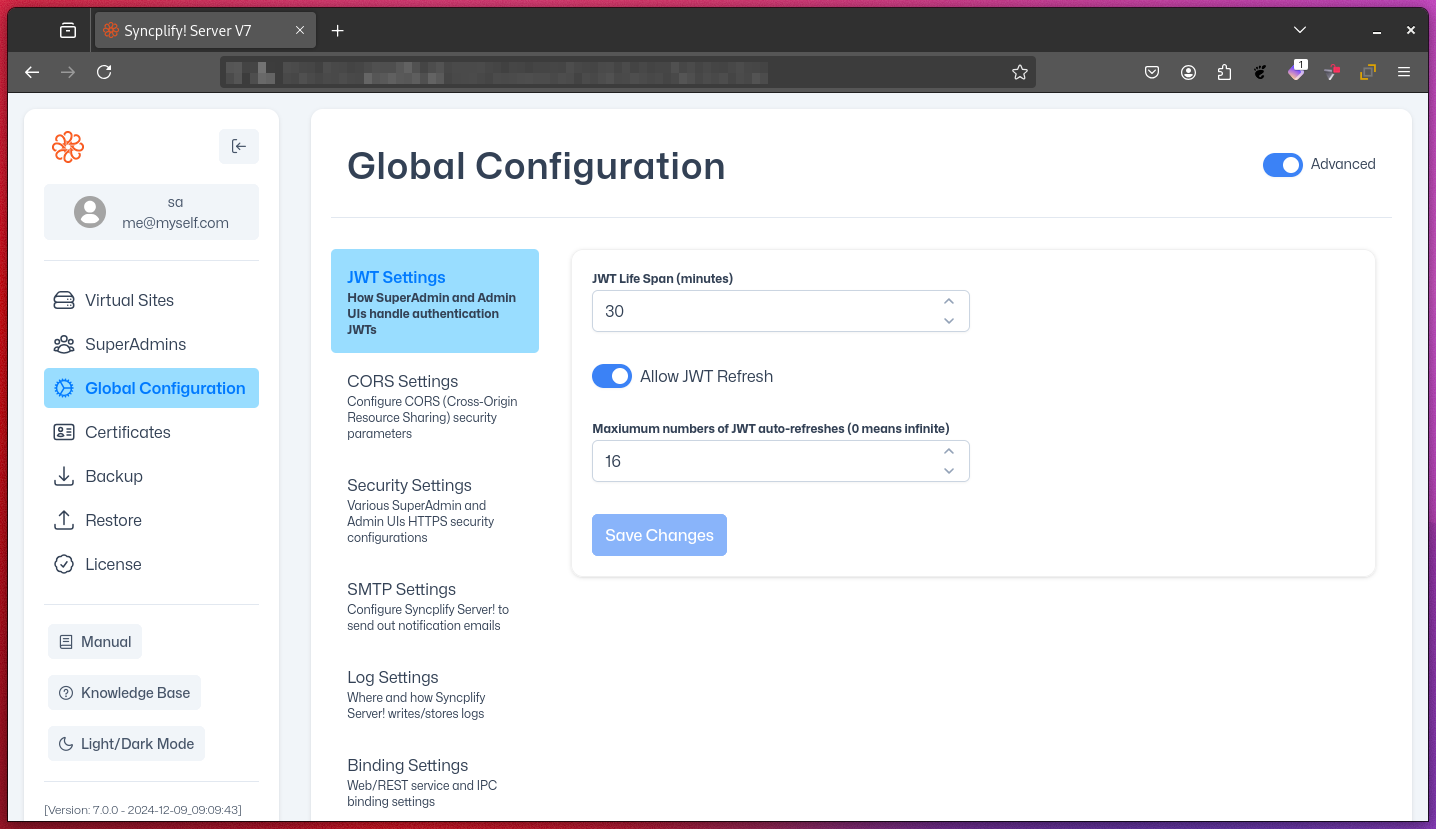
1. JWT Lifespan
- Description: Determines the duration of a JWT session before it expires. This is how long a SuperAdmin or Admin UI session remains active unless the JWT is refreshed.
- Value: Time in minutes
- Example: 30 minutes
- Impact: Shorter durations enhance security but require more frequent logins or JWT refreshes.
2. Allow JWT Refresh
- Description: Allows or disallows users to refresh JWTs before they expire.
- Value: Boolean (True/False)
- Impact:
- If enabled, users can extend their session without re-authenticating.
- If disabled, users must log in again after the JWT expires.
3. Maximum Number of Allowed JWT Refreshes
- Description: Sets the maximum number of times a single JWT can be refreshed before requiring a new login.
- Value: Integer
- Example: 16 refreshes
- Impact:
- Balances convenience with security.
- Prevents indefinite session extension.
Best Practices
- Set the JWT lifespan based on your security requirements and user activity.
- Enable JWT refresh for a better user experience during long sessions.
- Limit the maximum number of allowed JWT refreshes to enforce periodic re-authentication.
NOTE
Adjusting these settings affects both security and user experience. Consider your specific use case when configuring them.