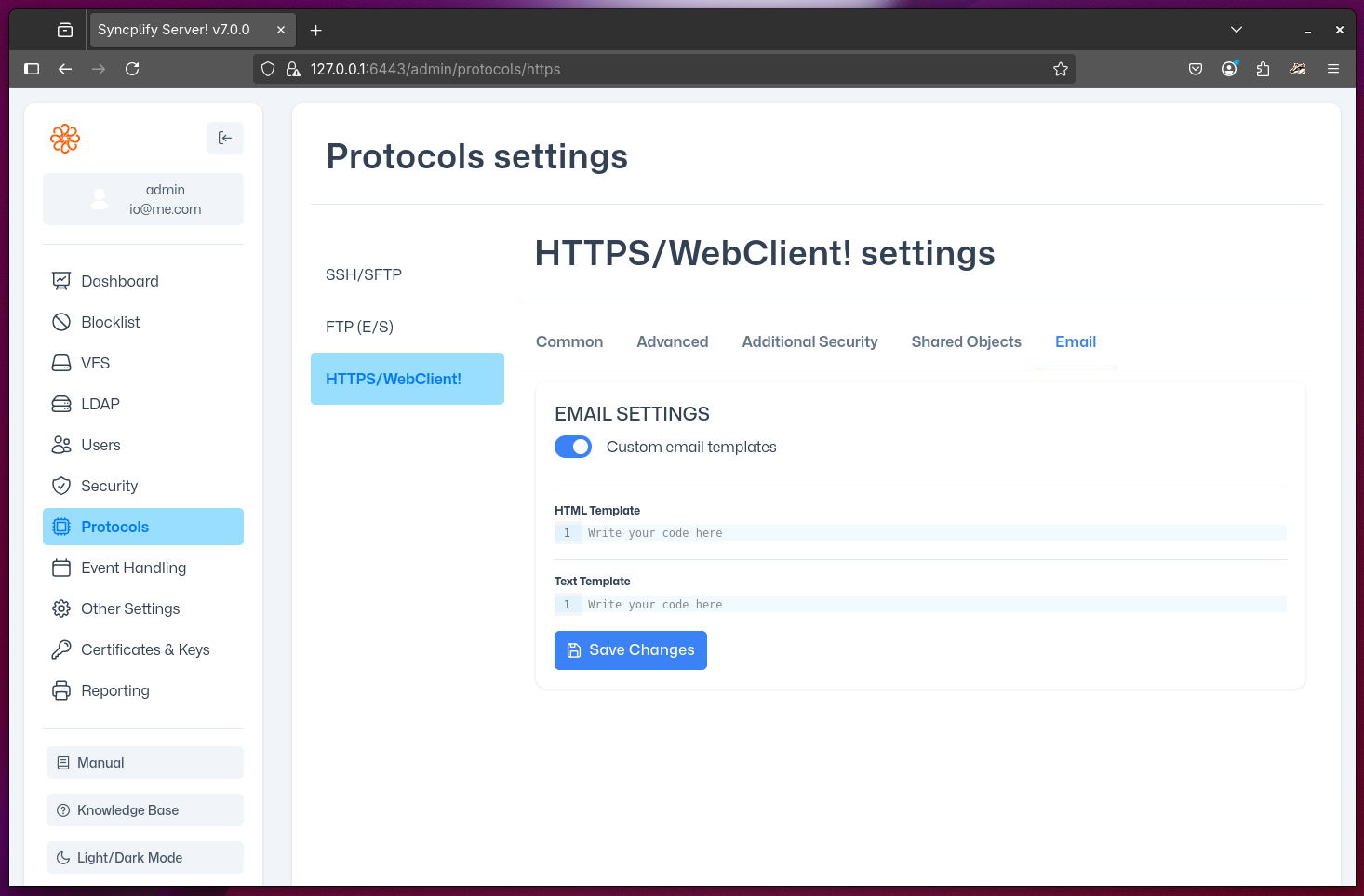
WebClient! "Email" Settings
Starting with Syncplify Server! v7.0, WebClient! can send notification emails to recipients when a shared object (file or directory) link is created from within WebClient!.
IMPORTANT
For this feature to work, the virtual site's administrator must first fully configure and test the site's SMTP settings.
By default, WebClient! uses built-in email templates branded with Syncplify's identity.
If you want these emails to reflect your company's brand, you can enable custom email templates on this configuration page. When enabled, you can provide your own plain-text and HTML templates. The following variables are available for use in your templates to make the content dynamic:
| Variable | Explanation |
|---|---|
{{.ID}} | The unique notification ID |
{{.Created}} | The creation time of this notification (Go time.Time). You can format this using Go's time format templating, e.g., {{ .Created.Format "Jan 02, 2006 15:04:05 UTC" }} |
{{.VirtualSite}} | The name of the current virtual site |
{{.NodeID}} | The name of the node that served the request (in HA deployments) |
{{.ObjType}} | The type of object being shared (file or directory) |
{{.Description}} | The description provided by the user who shared the object |
{{.SharedBy}} | The username of the user who shared the object |
{{.ExpiresOn}} | The expiration date/time of the shared object (or never if not set) |
{{.PassProtected}} | Whether the shared object requires a password to be accessed |
{{.ReadOnly}} | Whether the shared object is read-only |
{{.ShrLink}} | The fully-qualified link to access the shared object (ready to copy and paste into a browser's address bar) |