
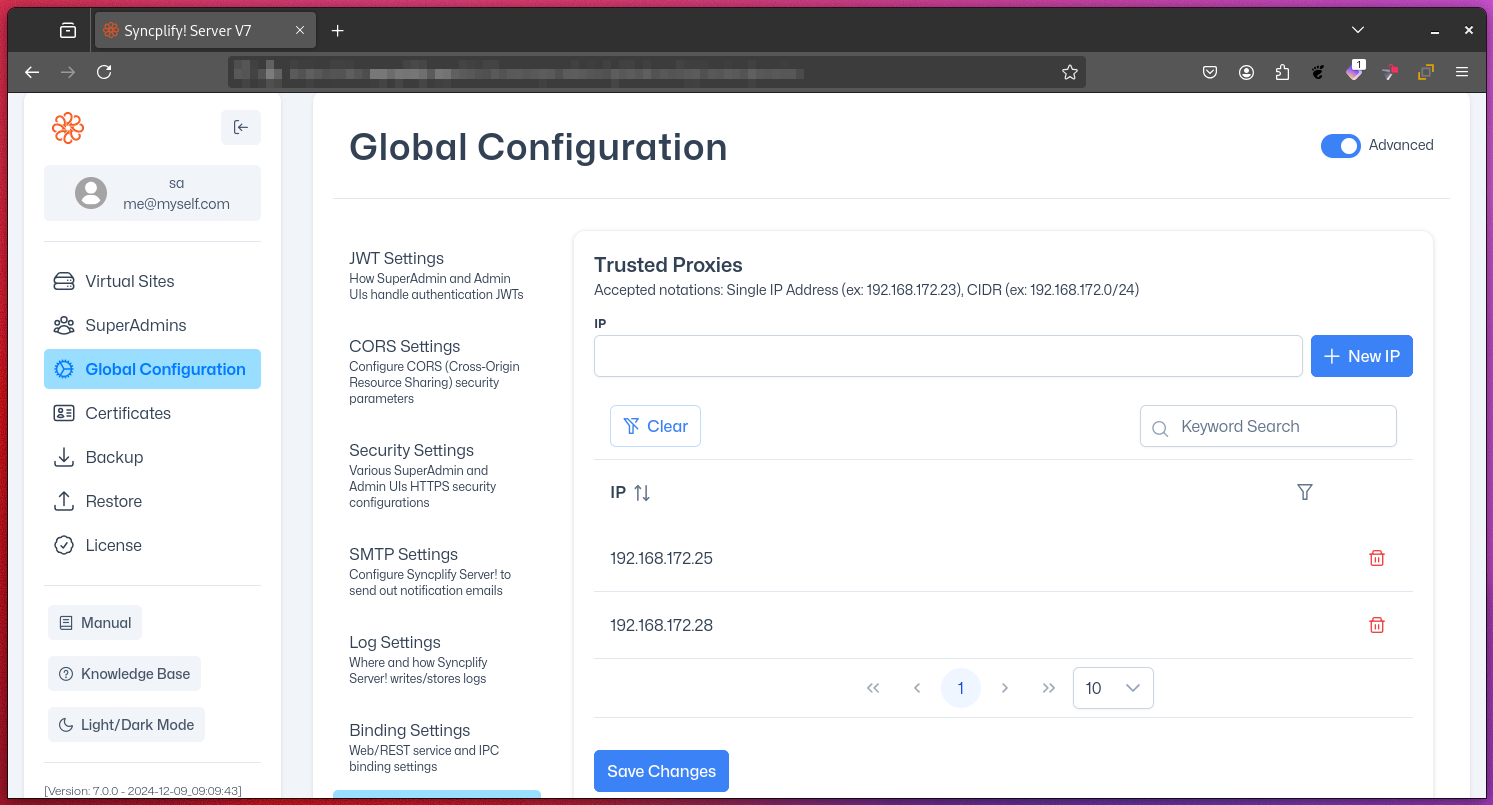
Trusted Proxies
The Trusted Proxies setting is a crucial security feature in Syncplify Server!'s Web/REST service configuration when deployed in HA (high-availability) mode or behind a modern load balancer. It allows you to specify a list of IP addresses for reverse proxies or load balancers from which the server will accept and trust certain HTTP headers.
Purpose
This setting enables Syncplify Server! to accurately determine the original client’s IP address when requests pass through these proxies or load balancers.
Trusted Headers
When a request comes from a trusted proxy, Syncplify Server! will trust the following HTTP headers to determine the original client's IP address:
X-Forwarded-ForX-Real-IP
Security Implications
Trusting these headers only from a specific list of IP addresses is vital for maintaining security.
- Prevent IP Spoofing: Malicious actors could potentially forge these headers to mask their true IP address.
- Accurate Logging: Ensures that access logs contain the actual client IP, not just the proxy's IP.
- Proper Rate Limiting: Enables effective rate limiting based on the real client IP.
- Access Control: Enables accurate IP-based access control policies.
Configuration
Specify the IP addresses or network CIDRs of your trusted proxies in the provided list. For example:
192.168.1.100
10.0.0.0/24
You can use either individual IP addresses or network CIDR notation.
Example: Misconfiguration Consequence
Suppose you add 0.0.0.0/0 (all IPv4 addresses) to the trusted proxies list. This would cause Syncplify Server! to trust forwarded headers from any source, including the public internet. As a result, any client could forge the X-Forwarded-For header to impersonate any IP address, bypassing IP-based restrictions and corrupting your logs.
WARNING
Only trust proxies and networks that are fully under your administrative control. Overly broad CIDR ranges or including untrusted IPs can allow malicious clients to spoof their IP address using trusted headers, leading to inaccurate logging, bypassed access controls, or security breaches.
Best Practices
- Only include IP addresses or networks of proxies under your direct control.
- Regularly audit and update the list of trusted proxies.
Further Reading
- RFC 7239: Forwarded HTTP Extension – Defines standardized headers for identifying originating client IPs through proxies.
- OWASP: Secure Use of X-Forwarded-For Header – Security considerations and best practices.
By carefully managing the Trusted Proxies list, you ensure that Syncplify Server! can accurately identify client IPs and maintain a strong security posture.