
CORS Settings
Cross-Origin Resource Sharing (CORS) is a browser security feature that controls how web applications running on one domain can interact with resources on another domain. CORS is enforced by browsers to protect users from malicious cross-site requests. It is only relevant for browser-based clients, such as the SuperAdmin and Admin UIs, but not for the WebClient! UI because CORS settings for WebClient! are configured per each virtual site by the virtual site's administrator.
The CORS settings in Syncplify Server! determine which web origins are allowed to interact with your server’s web UIs and APIs.
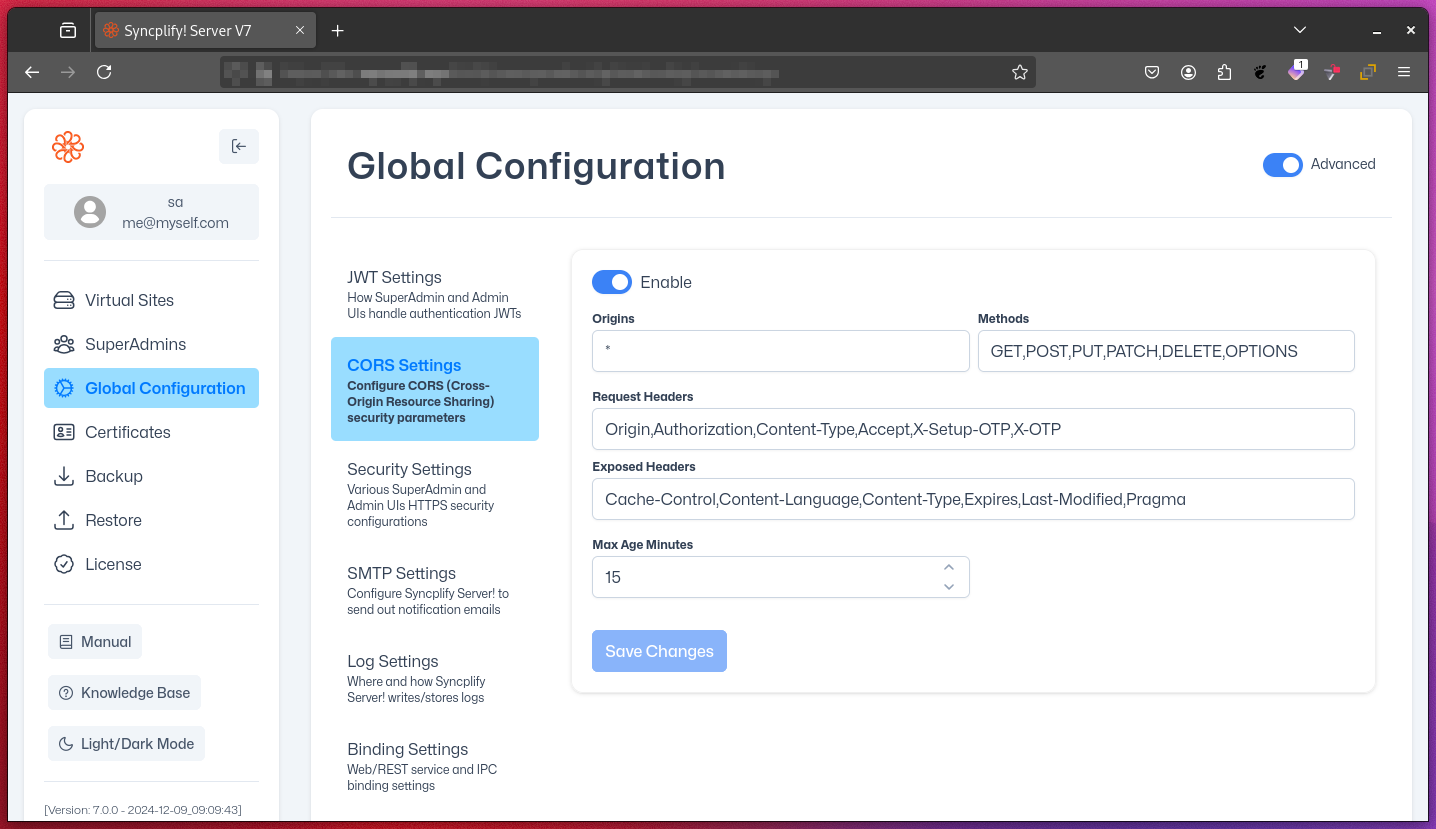
Configuration Options
Enable
- Description: Turns CORS support on or off for the web UIs.
- Impact: When enabled, cross-origin requests are allowed according to the settings below.
Origins
- Description: Specifies which origins (protocol + domain + port) are allowed to make cross-origin requests.
- Value: List of allowed origins (e.g.,
https://example.comorhttps://example.com:6443). Always include the port if it is not standard. - Special Value:
*allows any origin (not recommended for production, as it reduces security). - Impact: Controls which websites can access your server’s web APIs from a browser.
Methods
- Description: Lists the HTTP methods (e.g., "GET", "POST", "PUT", "DELETE") allowed for cross-origin requests.
- Impact: Restricts the types of requests that can be made from other origins.
Request Headers
- Description: Specifies which HTTP headers can be included in cross-origin requests.
- Impact: Controls what information the client can send in requests.
Exposed Headers
- Description: Lists which response headers are accessible to browser scripts.
- Impact: Allows client-side scripts to read specific response headers that are not CORS-safelisted.
Max Age (Minutes)
- Description: Sets how long browsers can cache the results of a CORS preflight request (an automatic browser check for non-simple requests).
- Impact: Reduces the number of preflight requests, improving performance.
Best Practices
- Only enable CORS if your web UIs need to be accessed from other domains.
- Be as specific as possible with allowed origins to minimize security risks.
- Avoid using
*in production environments. - Limit exposed headers to only those required by your client-side scripts.
- Set Max Age to balance performance and security.
Further Reading
For more in-depth information about CORS, refer to these official resources:
- Cross-Origin Resource Sharing (W3C)
- Fetch Standard – CORS section (WHATWG)
- MDN: HTTP access control (CORS)
NOTE
CORS settings do not affect non-browser clients (like SFTP, FTP, or SSH). Always configure CORS carefully to maintain security while enabling necessary cross-origin functionality.