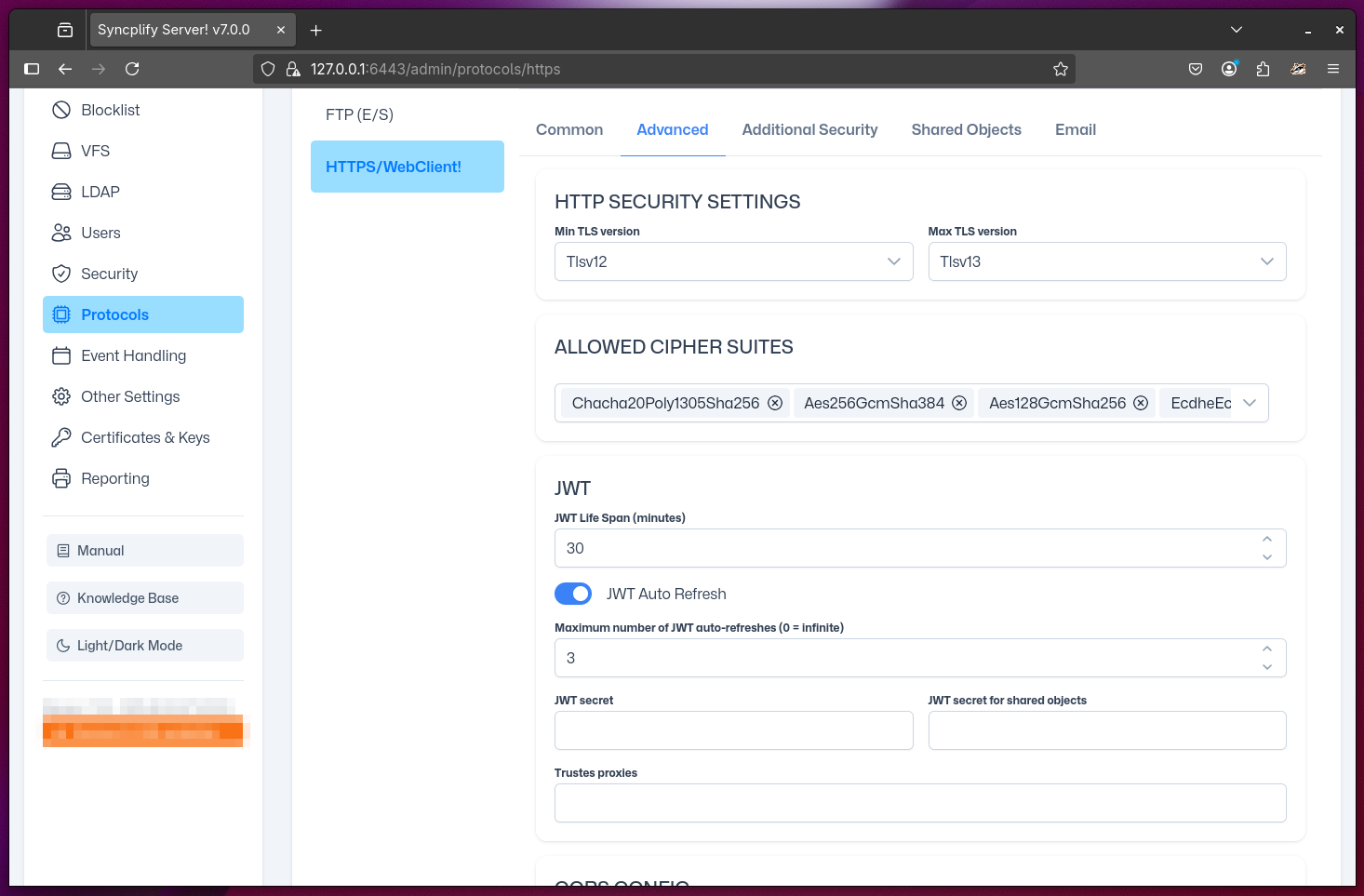
Advanced WebClient! (HTTPS) Settings
This page allows you to configure advanced settings for the HTTPS protocol handler (also known as WebClient!). These options are intended for experienced administrators; in most cases, the default settings are sufficient for reliable operation.
Advanced Settings Categories
TLS Versions: Set the minimum and maximum TLS protocol versions that the built-in HTTPS server will accept for this virtual site's WebClient!. Restricting to newer TLS versions improves security but may limit compatibility with older browsers.
TLS Cipher Suites: Specify which cipher suites are enabled for TLS connections. Disabling weak or outdated ciphers is recommended to maintain a strong security posture. Only advanced users should modify this list.
JWT (JSON Web Token): Configure the lifespan of authentication tokens, whether clients are allowed to refresh their tokens, and the maximum number of refreshes before a forced logout. Shorter token lifespans and limited refreshes increase security but may require users to log in more frequently.
CORS (Cross-Origin Resource Sharing): Control which origins (hostnames) are allowed to access the WebClient! API from browsers. The most important setting is the allowed host name, which should match the DNS name your server is registered with. Misconfiguring CORS can lead to security vulnerabilities or prevent legitimate browser access.
NOTE
CORS is a browser-enforced security mechanism that controls cross-origin HTTP requests. For a detailed, authoritative explanation, see the MDN CORS documentation and the W3C CORS Recommendation.
- Metrics Allow-List: Define a special allow-list to restrict access to the
/metricsAPI endpoint (used for Prometheus/OpenTracing integration). Only clients from the listed IPs or networks will be able to access server metrics.
WARNING
Changing advanced security settings can impact both security and compatibility. Always test changes in a controlled environment before deploying to production.